Quality dashboard and KPIs: the quality numbers on one page, always up to date
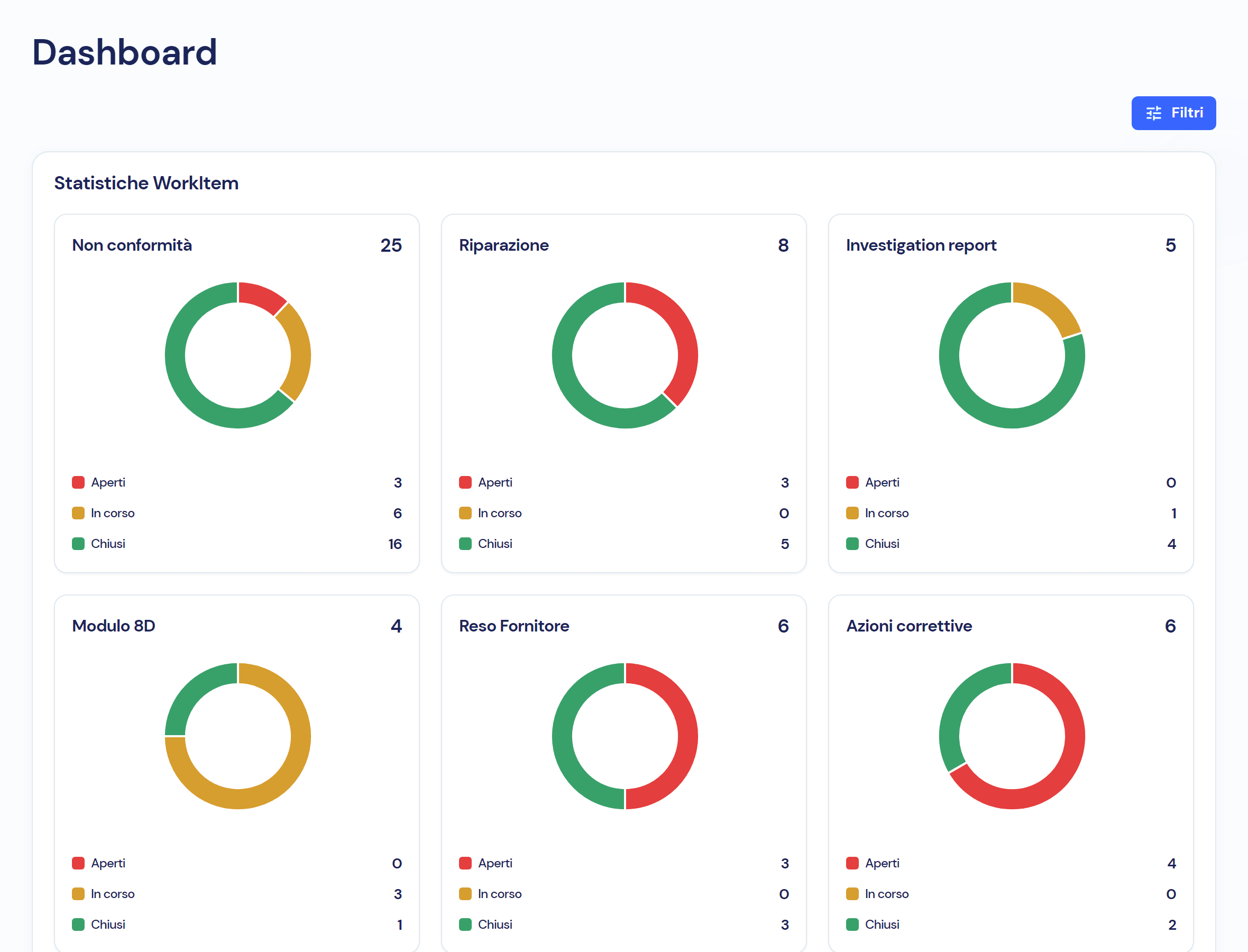
The dashboard counts non-conformities, repairs, investigation reports, 8Ds, returns and corrective actions, split into open, in progress and closed, and charts the most frequent defects, causes and items. The numbers come from the module records, recalculated every time you open the page, and can be filtered by date.
Quality KPIs reach the meeting already out of date
To know how many non-conformities are open and which defect keeps coming back, someone exports, pastes and counts in a spreadsheet. The number arrives the next day, already stale. In the module, counters and charts read from the records people work in, when you open the page.
Four things you see at a glance, without spreadsheets
- 01
Six counters, three statuses, one colour each
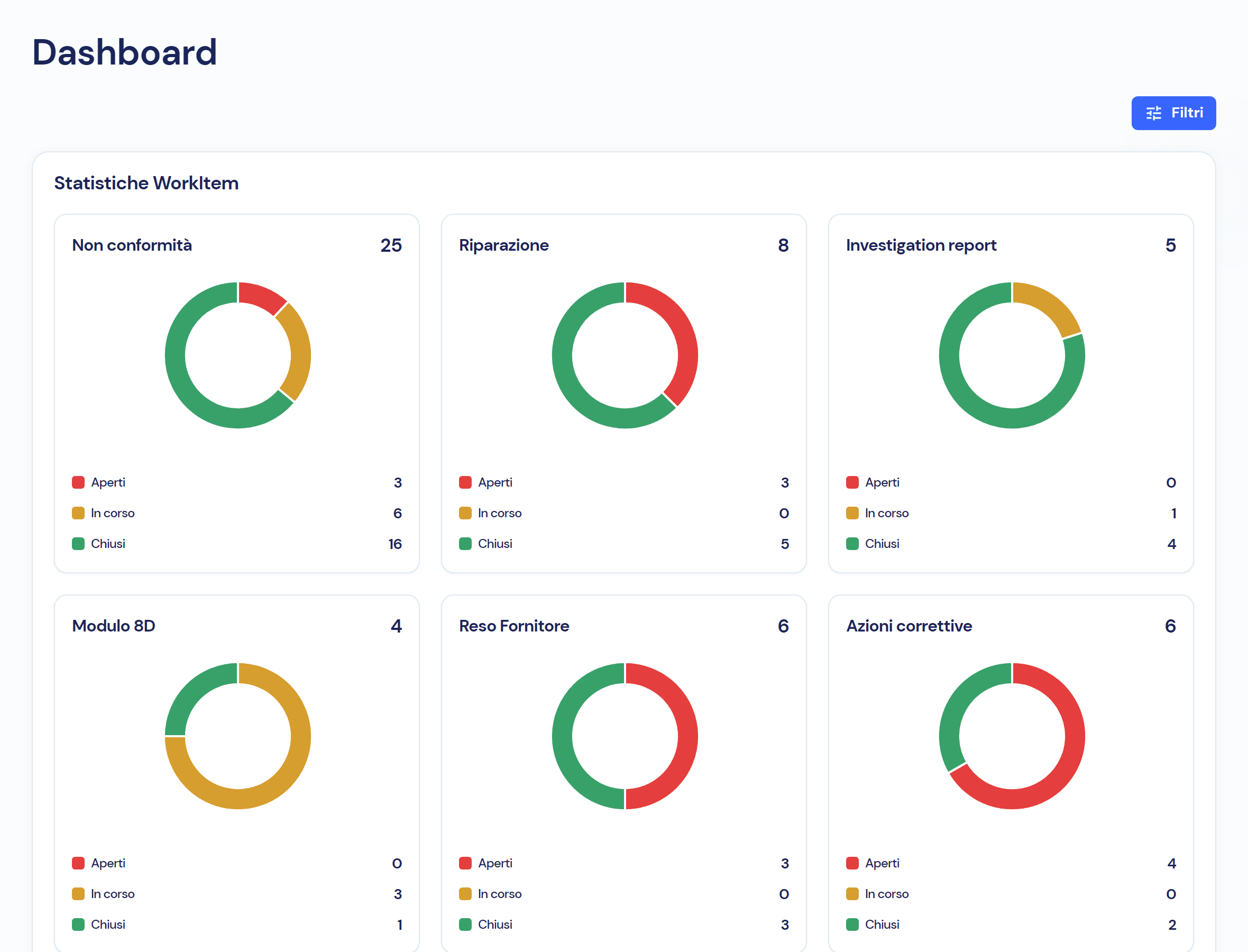
Non-conformities, repairs, investigation reports, 8Ds, supplier returns and corrective actions: for each one the total and the donut, with open in red, in progress in yellow, closed in green. Reports, 8Ds, returns and actions count the items linked to the non-conformities of the period.
- 02
The five defects, the five causes, the five items
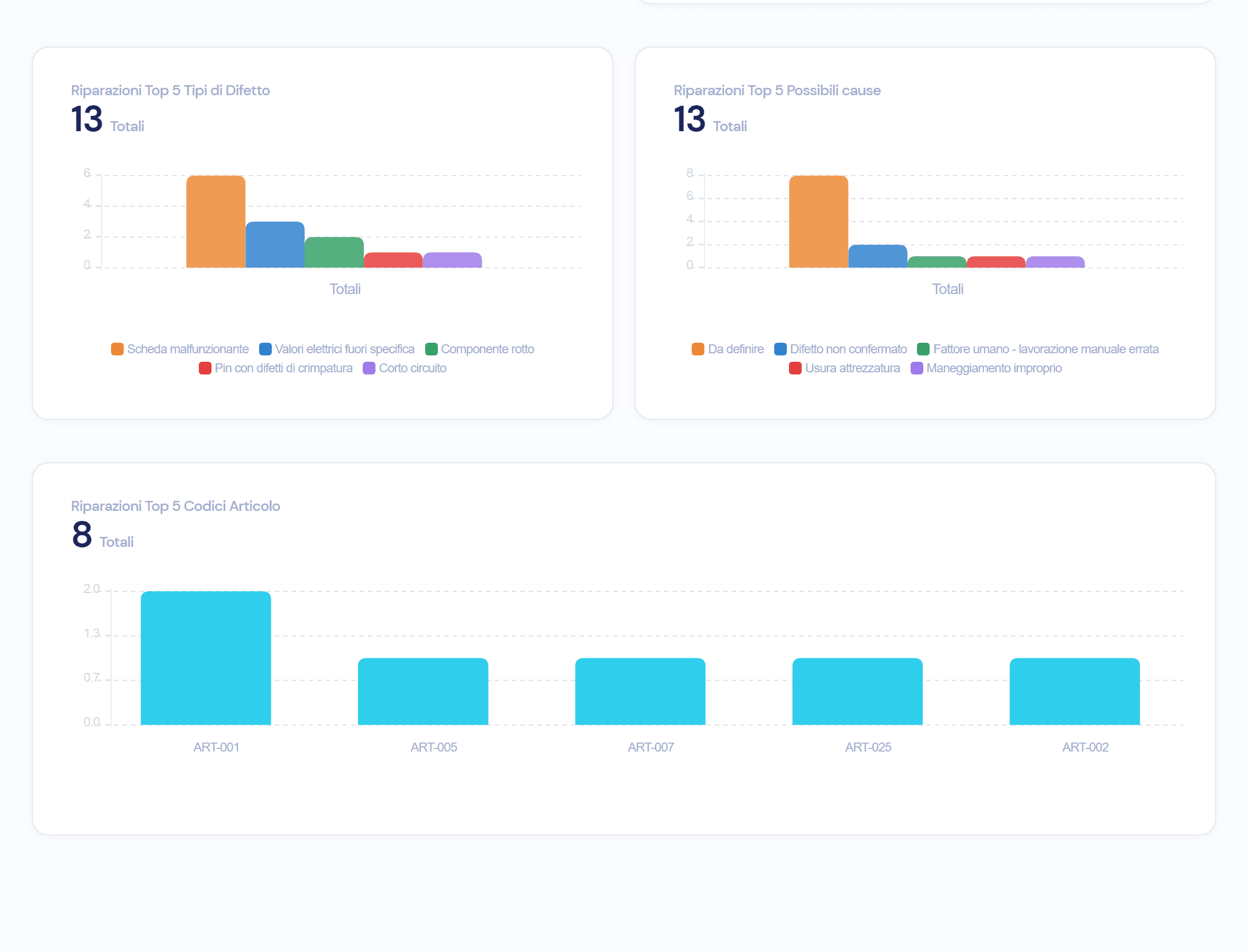
Below the counters, the charts: non-conformities by type, repairs by customer and by attribution, the five defect types, the five causes and the five item codes with the most repairs, each with its total.
- 03
Period filters, on the opening date
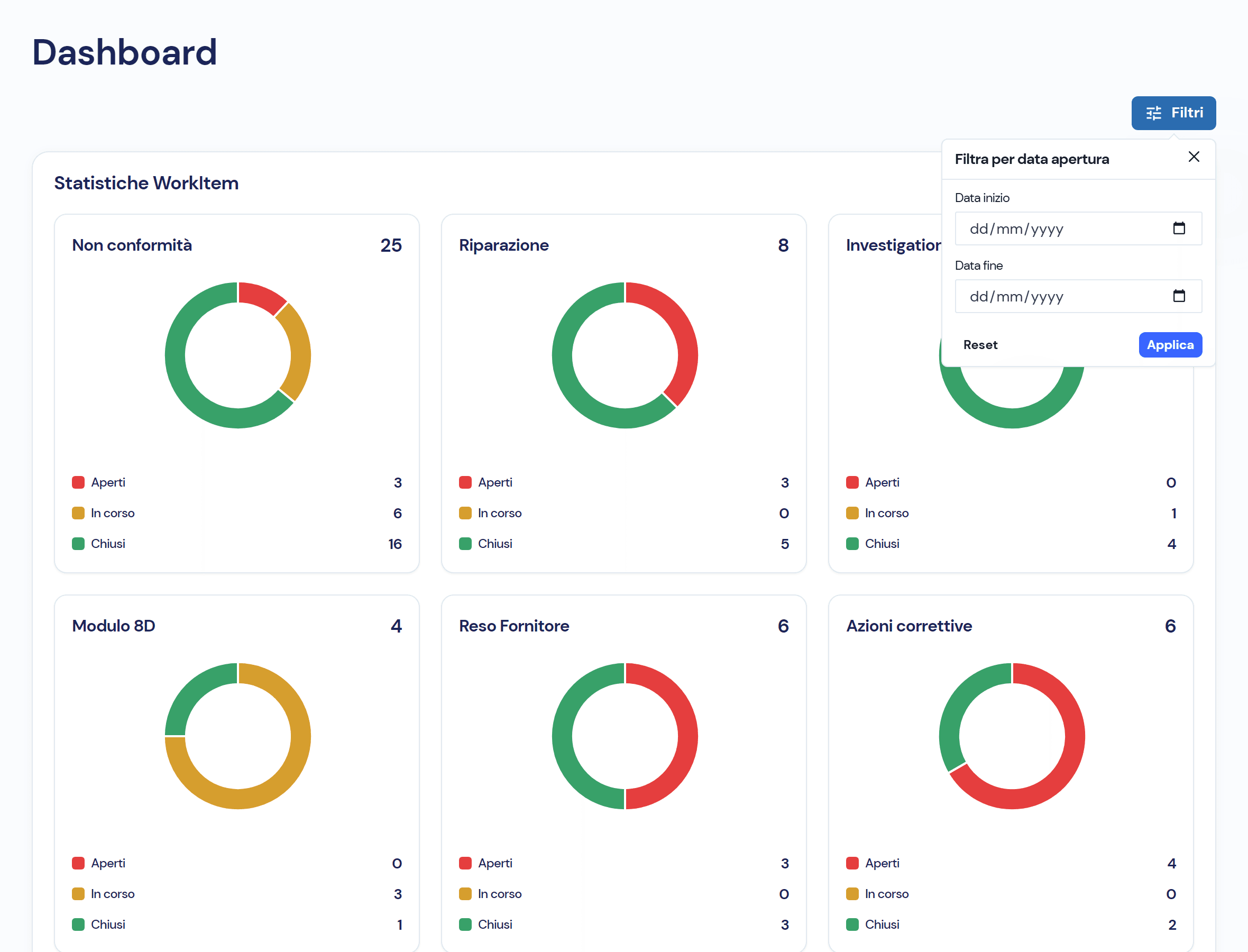
Start date and end date: counters and charts are recalculated for the chosen period, for instance the last quarter or the audit year. Reset brings back the whole history.
- 04
Skills and suppliers, with their own indicators
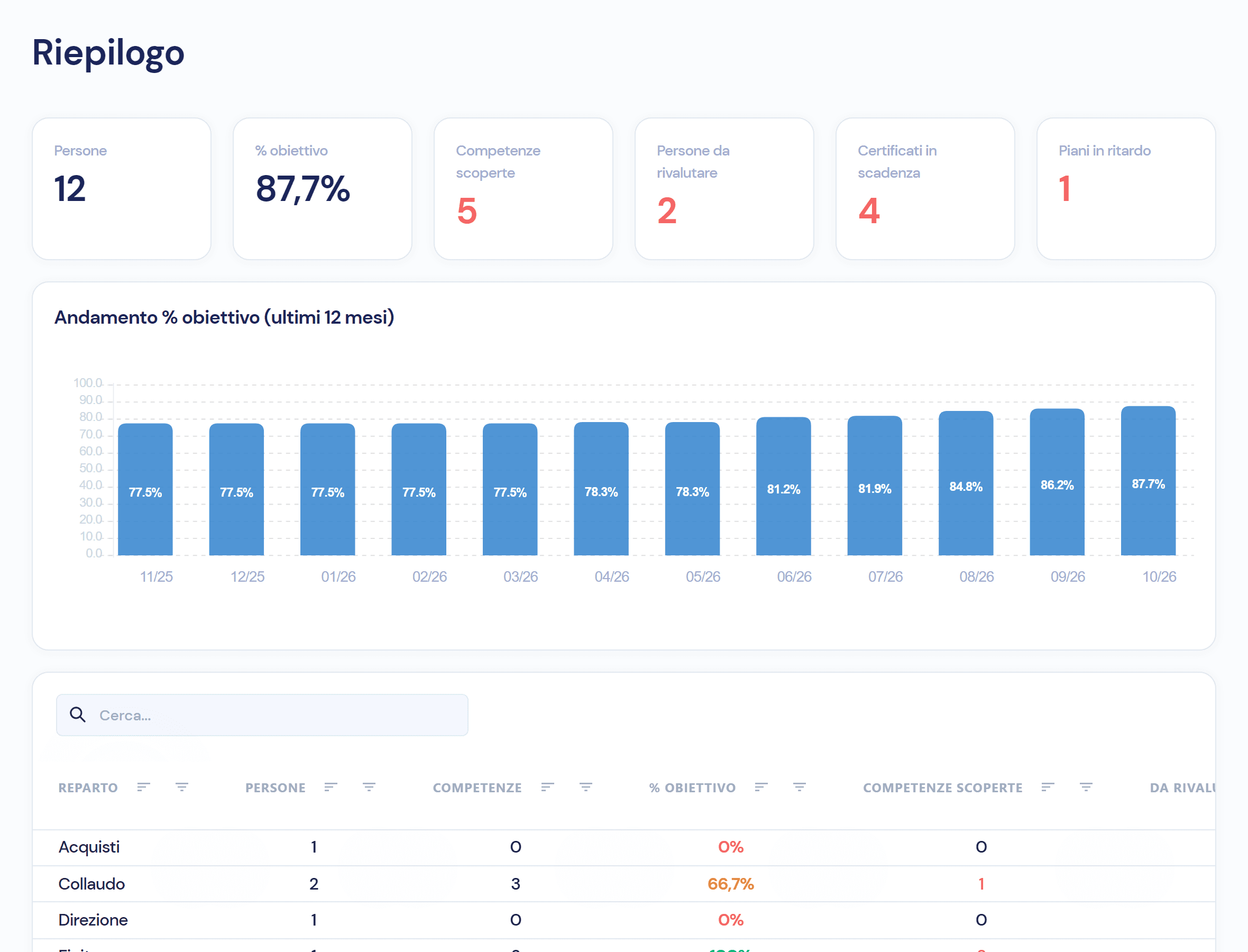
The skills summary: people, percentage of target, uncovered skills, people due for reassessment, expiring certificates and overdue plans, with the monthly trend and the breakdown by department. Vendor rating: for every supplier an overall score on quality, service and cost, with the trend.
Three statuses, and what the dashboard counts for each
- 01 · Open
Created and not yet taken in charge: in red.
- 02 · In progress
Taken in charge but not at the final status, such as an NC resolved but not closed: in yellow.
- 03 · Closed
At the final status of their flow: in green.
The numbers come from the modules, not from a separate sheet
- Non-Conformity ManagementNCs by status, with the linked reports, 8Ds, returns and corrective actions; repairs by customer, defect, cause and item.
- Workflows and responsibilitiesOpen, in progress and closed are the statuses of each module’s flow: every step updates the counter.
- Skills and TrainingPeople, percentage of target, uncovered skills, expiring certificates and overdue plans, by department.
- Audit trailBehind every number there are the records and their history: no value typed in by hand.
Frequently asked questions about the module
Whoever has permission on the module: each user sees the counters of the modules they are authorised for.
Yes: the dashboard recalculates them from the module records every time it opens, with no extractions and no sheets to update.
Yes: choose a start date and an end date on the opening date, and counters and charts are recalculated for that period.
Yes: six indicators for skills, with the trend and the breakdown by department, and for every supplier the score on quality, service and cost.
Virtus is designed to integrate with ERP, MES and factory systems: in the demo we look together at which data from your systems feed the indicators.
See the dashboard with your own indicators
In the demo we open the dashboard, filter a period and read together the numbers your management needs.