Quality control and measuring instrument software: you always know which instrument is due for calibration
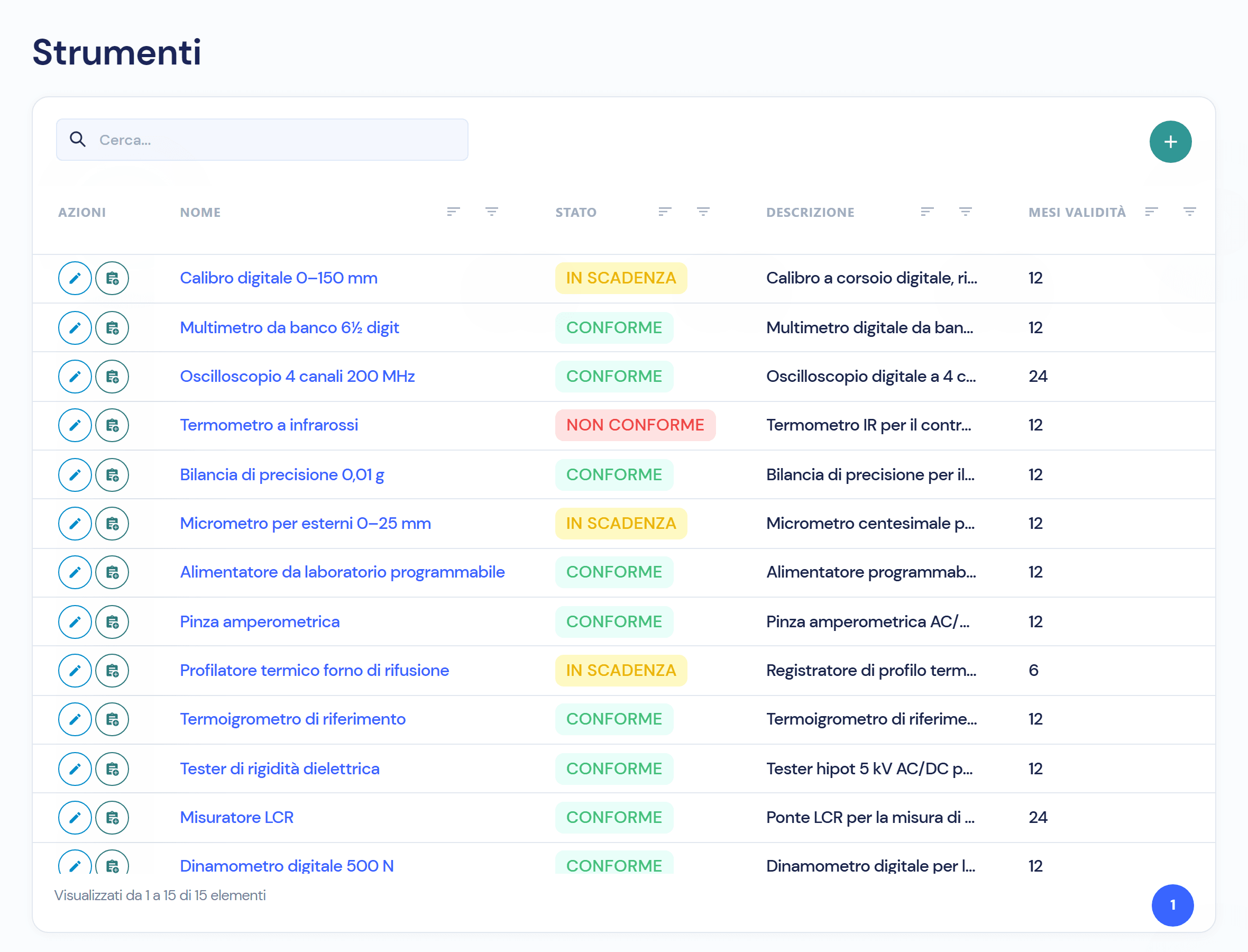
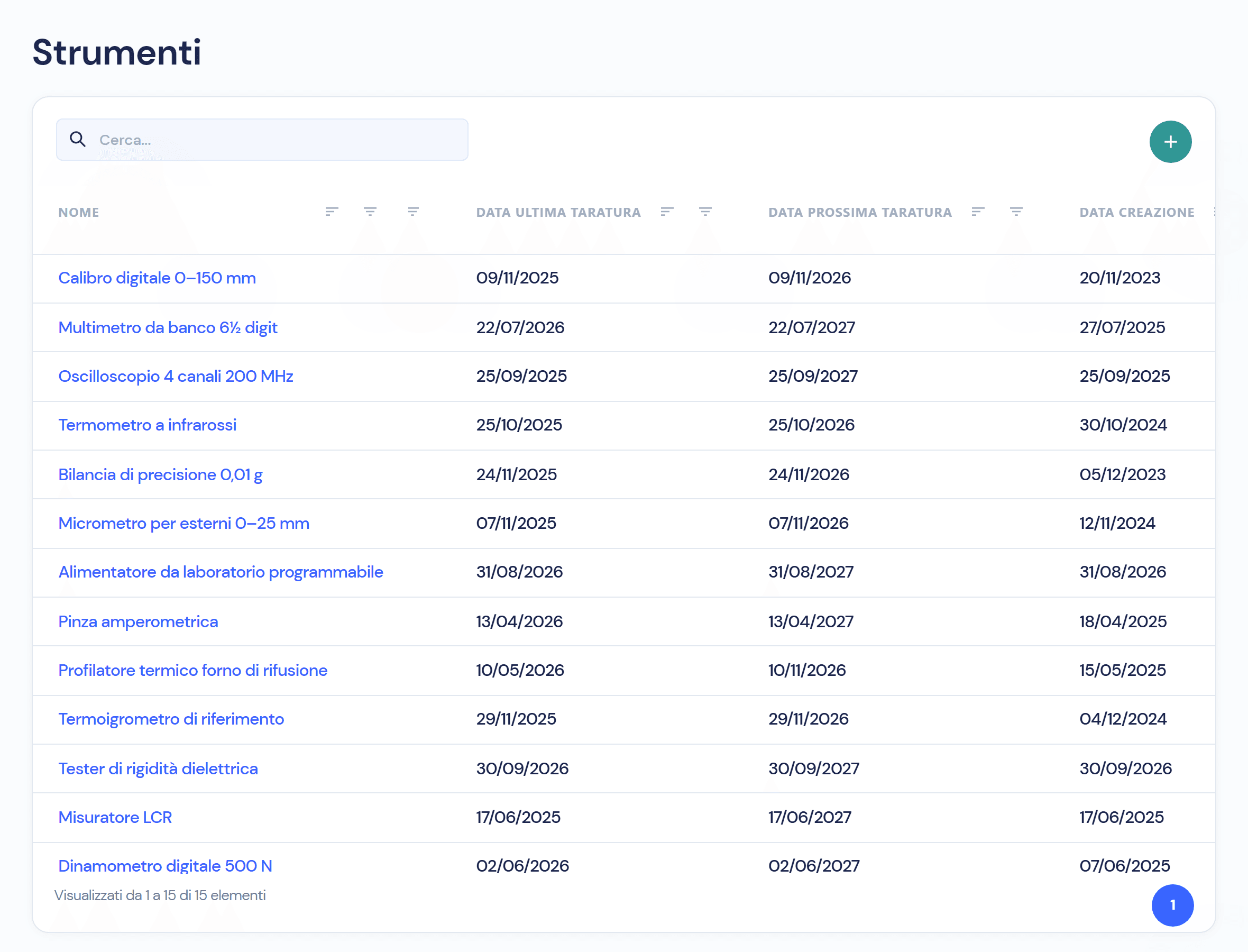
The module keeps the register of measuring instruments with their calibration frequency, the date of the last calibration and the next one, calculated by Virtus. The status of every instrument updates on its own, Compliant, Expiring or Non-compliant, and every calibration stays in the history with who recorded it and when.
Calibrations on a spreadsheet expire in silence
One person updates the instrument sheet, the next due date is worked out by hand and nobody looks at it until the auditor asks for the certificate of the calliper used in final testing. In the module every instrument has its frequency, the next date is already calculated and the status changes colour before it is too late.
Four things you do every day, without a spreadsheet
- 01
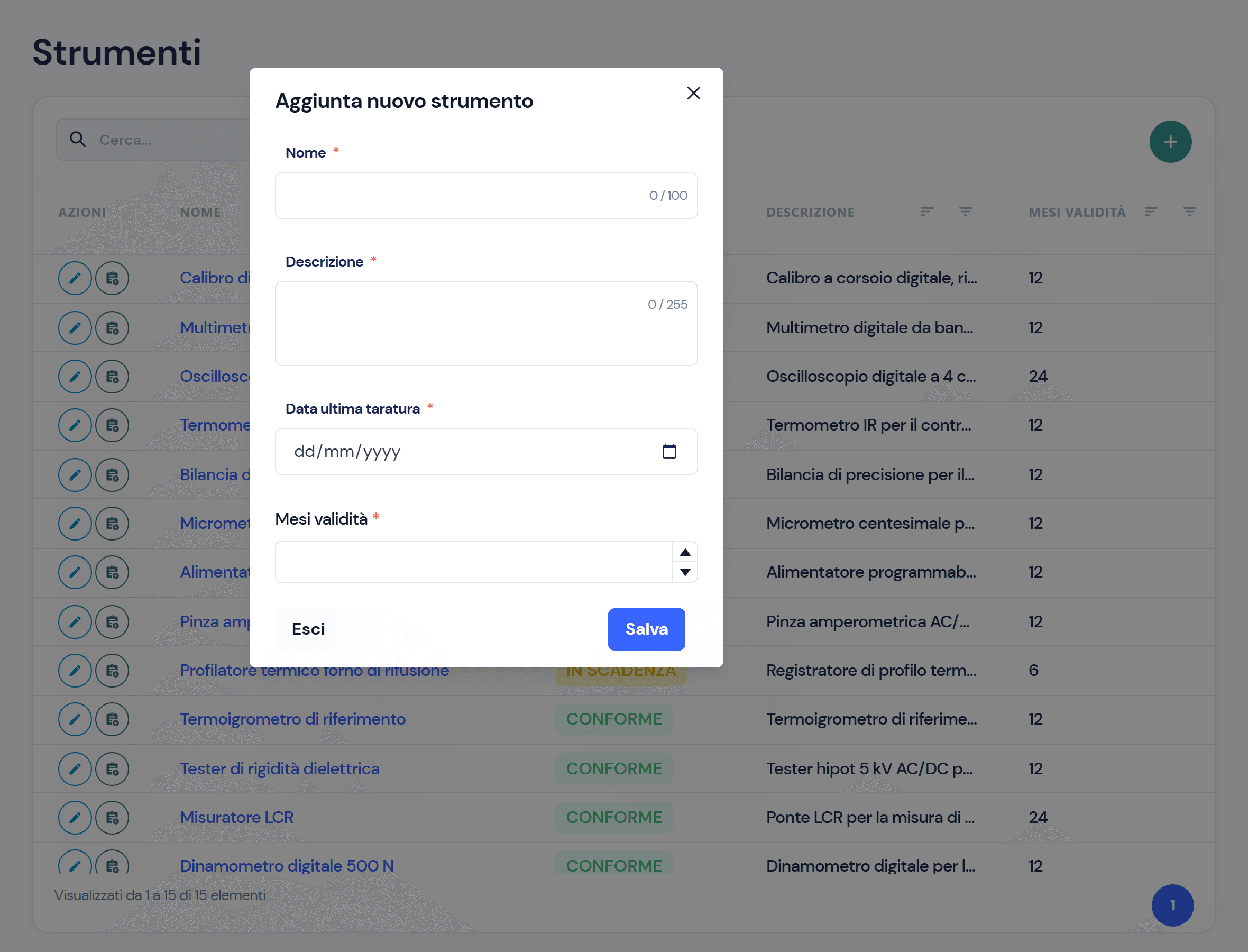
Register every instrument with its calibration frequency
Name, description, months of validity and date of the last calibration: four fields and the instrument is in the register. The list can be searched, sorted and filtered by column.
- 02
Virtus calculates the next calibration
Date of the last calibration plus months of validity: the next date appears in the list next to the last one, for every instrument. Sort the column and you see at once what expires first.
- 03
The status changes on its own: Compliant, Expiring, Non-compliant
Eight days before the due date the instrument becomes Expiring; once the date has passed it becomes Non-compliant. The recalculation is automatic. One colour per status, and you see at a glance what needs calibrating.
- 04
Record the calibration and the instrument is Compliant again
From the instrument row you add the calibration with its date. Virtus creates a numbered version, updates the last and next dates and recalculates the status. The calibrations stay in the list from the first to the last, each with the history of who recorded it and when.
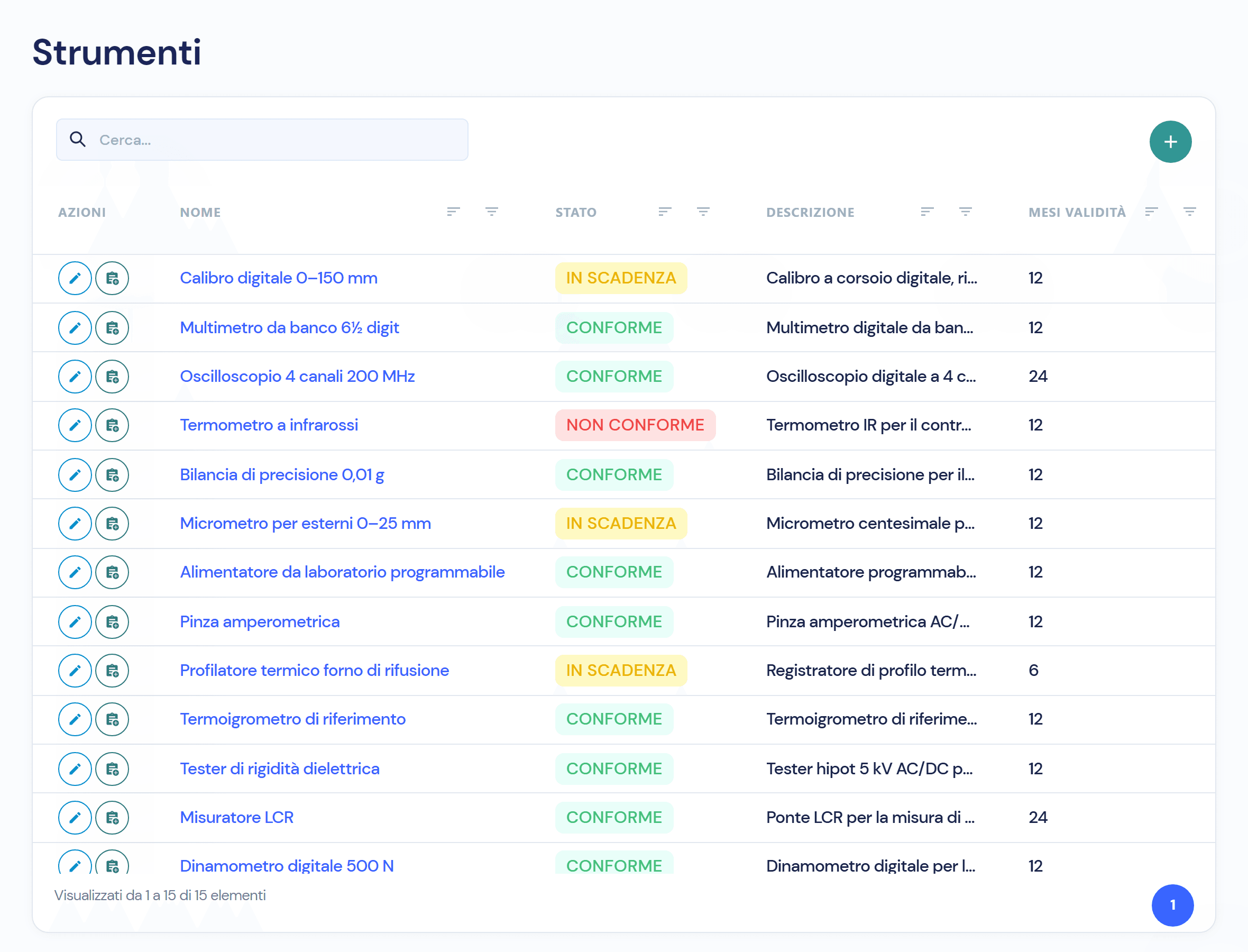
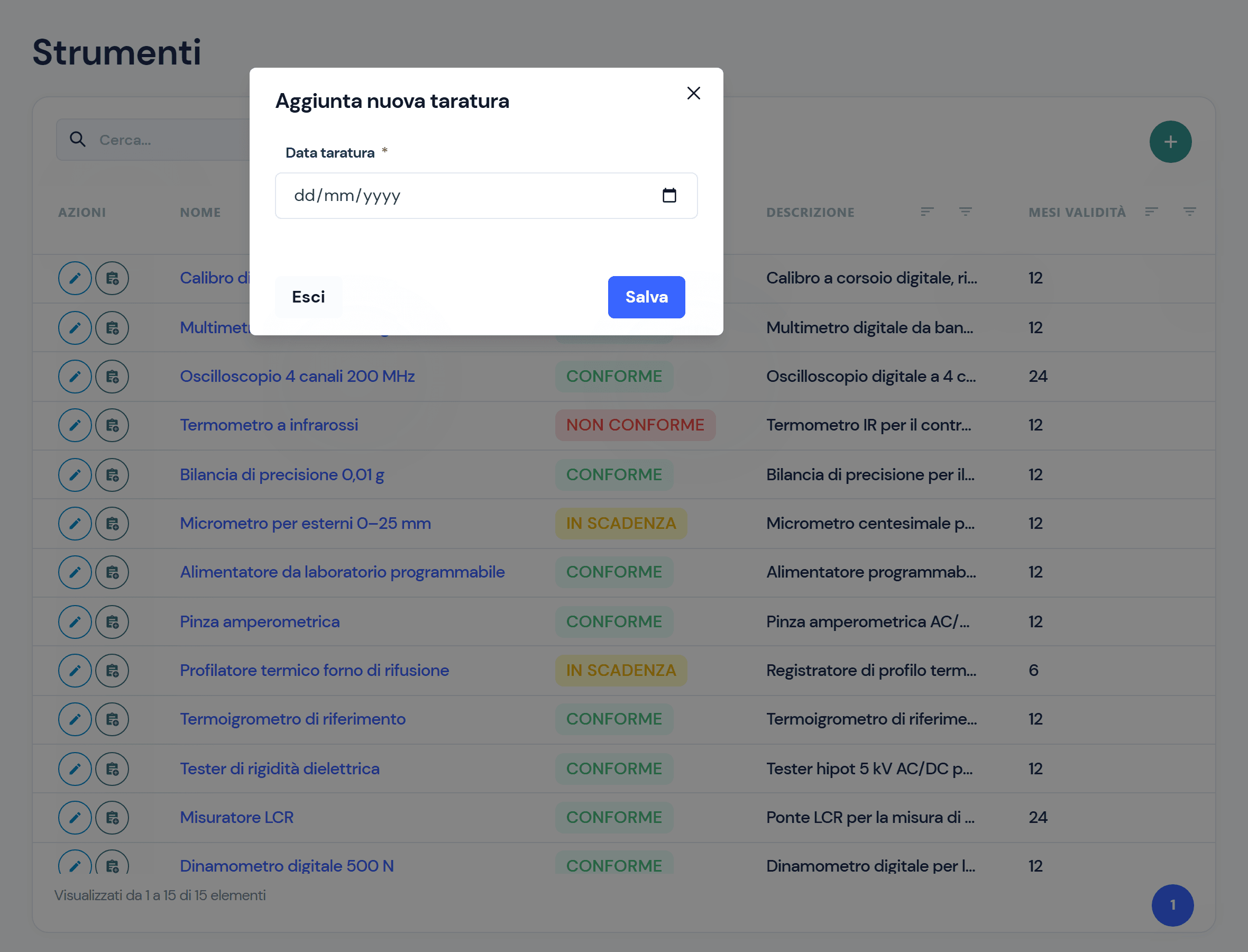
Three statuses, and what to do for each
- 01 · Non-compliant
Due date passed: the instrument is waiting for a new calibration.
- 02 · Expiring
Eight days or fewer to go: time to schedule the calibration.
- 03 · Compliant
Calibration recorded and still valid, with the next date already calculated.
Instruments work with the rest of the quality system
- Reporting and TestsRecurring controls are planned with checklists: model, owners and recurrence.
- Non-Conformity ManagementA control with a failed outcome opens a checklist non-conformity, already linked to the execution.
- Workflows and responsibilitiesOwners and recurrence for every planned control, with an email notification on assignment.
- Audit trailWho recorded every calibration and when, from the calibration row.
Frequently asked questions about the module
From the date of the last calibration plus the instrument’s months of validity: you see it in the list next to the last one.
Eight days before the due date; once the date has passed it becomes Non-compliant. It returns to Compliant only with a new calibration.
A numbered version is added with its date: Virtus updates the last calibration, the next one and the status. The previous versions stay in the instrument’s list.
Yes, with checklist planning: a model, the owners and a recurrence, from daily to one-off. The list shows the last and next execution, the outcome and the On time, Expiring or Overdue status.
Virtus is designed to integrate with ERP, MES and factory systems: in the demo we look together at how instruments and due dates talk to your systems.

See the module on your own instruments
In the demo we register an instrument from your department, record a calibration and watch the status change.