Checklist and quality test software: every inspection has a template, a due date and an outcome
The module turns final tests, inspections and internal audits into checklists: you build the template with checks and validation criteria, schedule it with owners and recurrence, run it with values, notes and attachments. The outcome, Passed or Failed, is worked out by Virtus from the answers, and a non-compliant check opens a non-conformity already linked to the execution.
Paper inspections never tell you how many failed
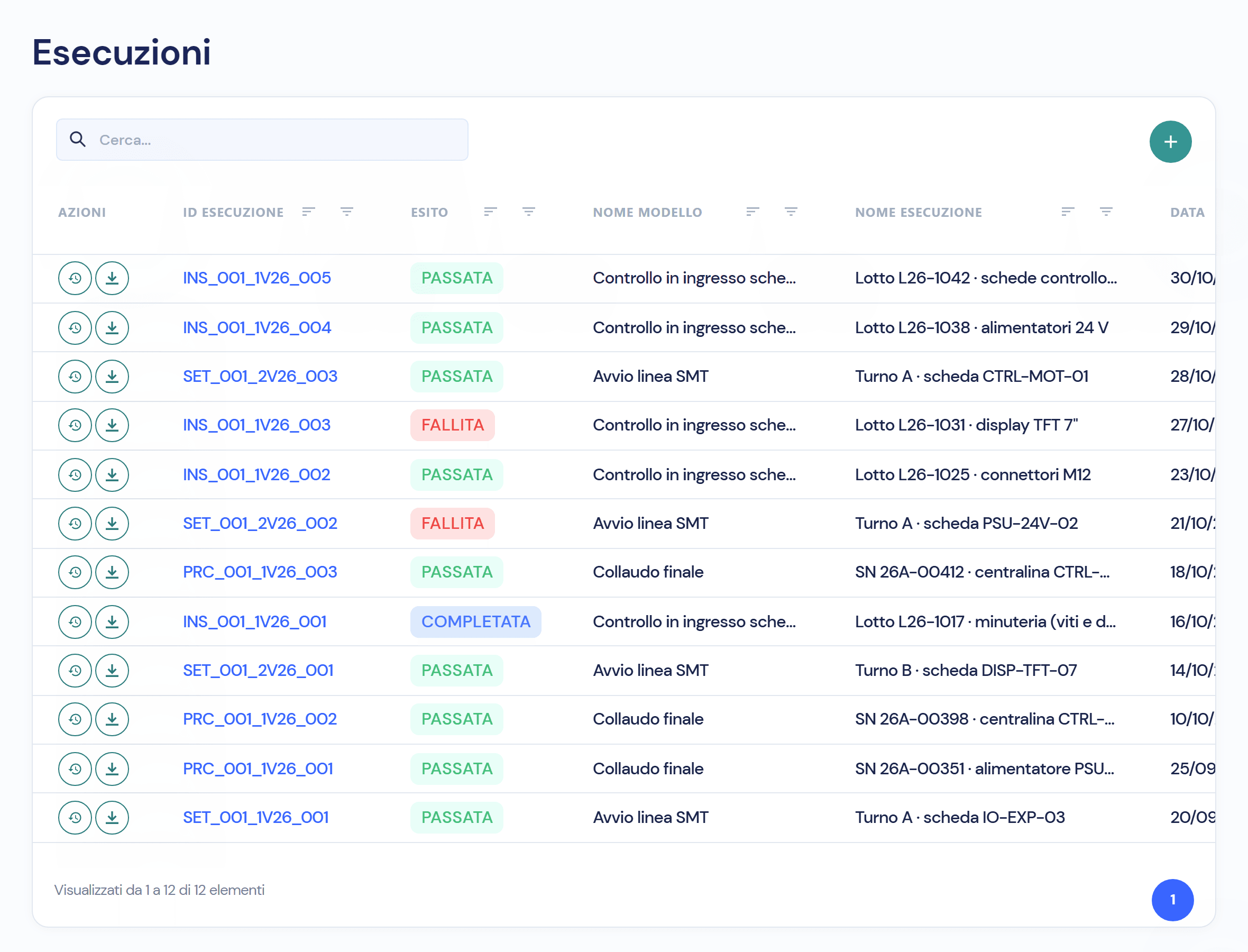
The test sheet is a printout, the tick is in pen, the scan ends up in a shared folder. How many batches failed incoming inspection this month? Someone goes and looks. In the module every execution has an outcome, a date and an author, and every due date a traffic light.
Four things you do on the shop floor, without paper
- 01
Build the template with your own checks
Name, type (inspection, audit, setup and more), then the checks: the question, the field type (text, number with limits, drop-down list, validation Compliant / Non-compliant / Not applicable) and whether it is mandatory. You can attach a DMS document to every check. Every change is a new version: only one is active.
- 02
Run it, and the outcome comes by itself
Pick the template, answer the checks, attach photos and documents, press Run. Virtus decides the outcome from the answers: Passed if every validation check is compliant, Failed if at least one is not, Completed if none applied. The list shows outcome, template, date and author; every execution downloads as a PDF.
- 03
Schedule recurring inspections and assign them
One schedule per template: owners, frequency (once, daily, weekly, monthly, yearly), start and end, notes; on creation Virtus offers to notify the owners by email. The list shows last and next execution, the latest outcome and a traffic light: green on schedule, amber due soon, red overdue.
- 04
A failed check opens the non-conformity
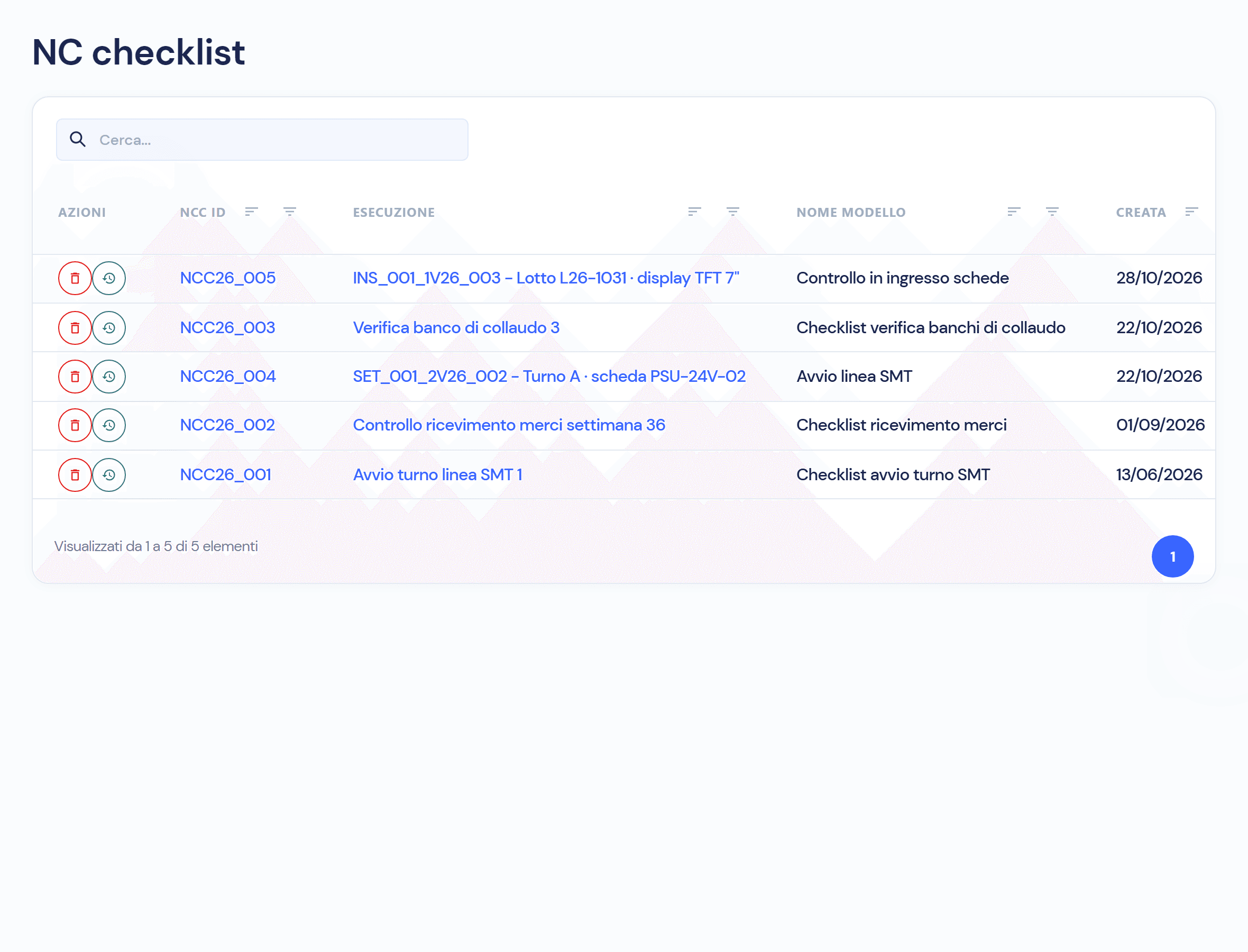
In the template you choose which checks raise a checklist NC. When an execution fails, Virtus opens the NC with the execution, the template and the non-compliant checks already filled in; from there you record the analysis, open an investigation report or an 8D form and close with the closing note. From the NC you get back to the execution in one click.
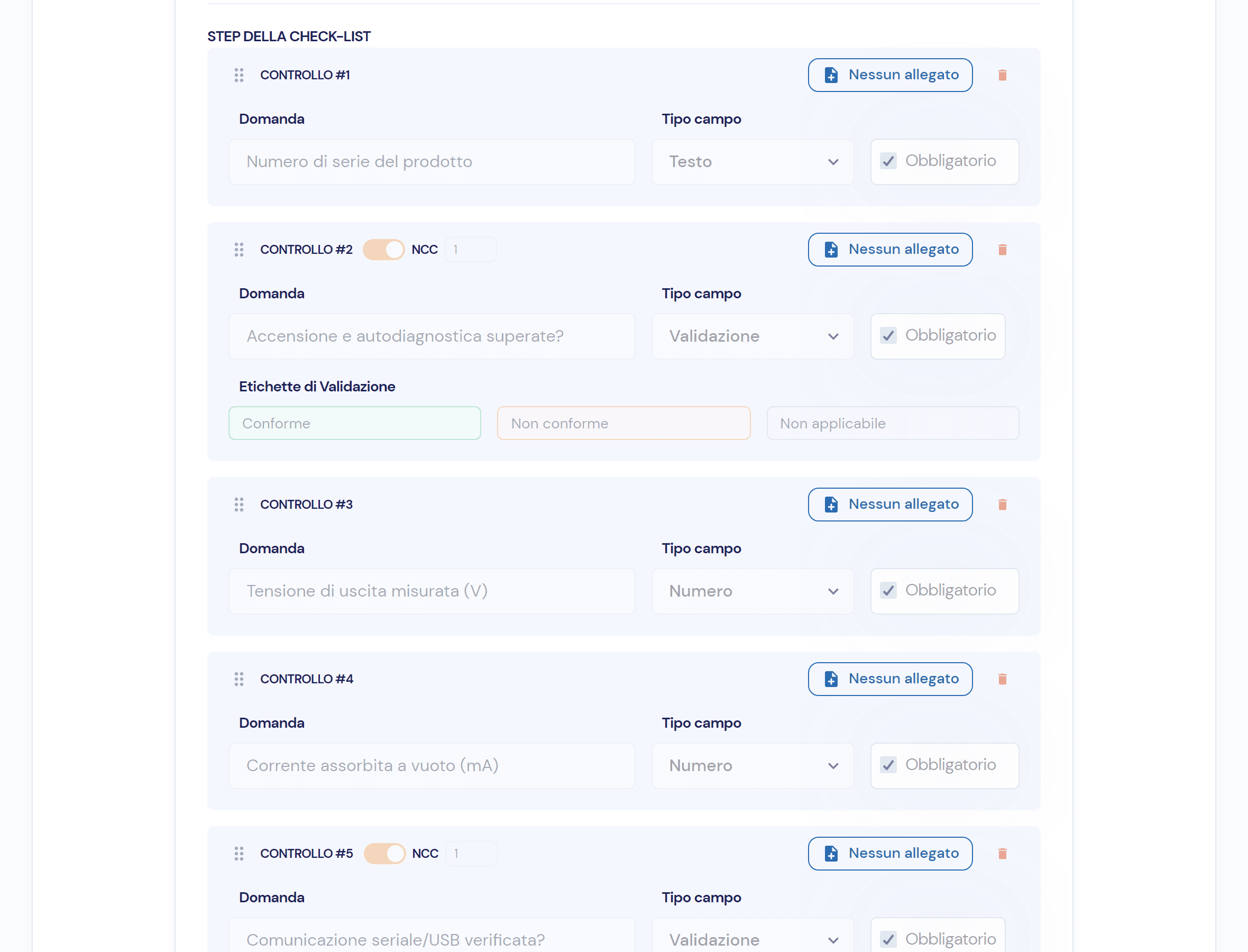
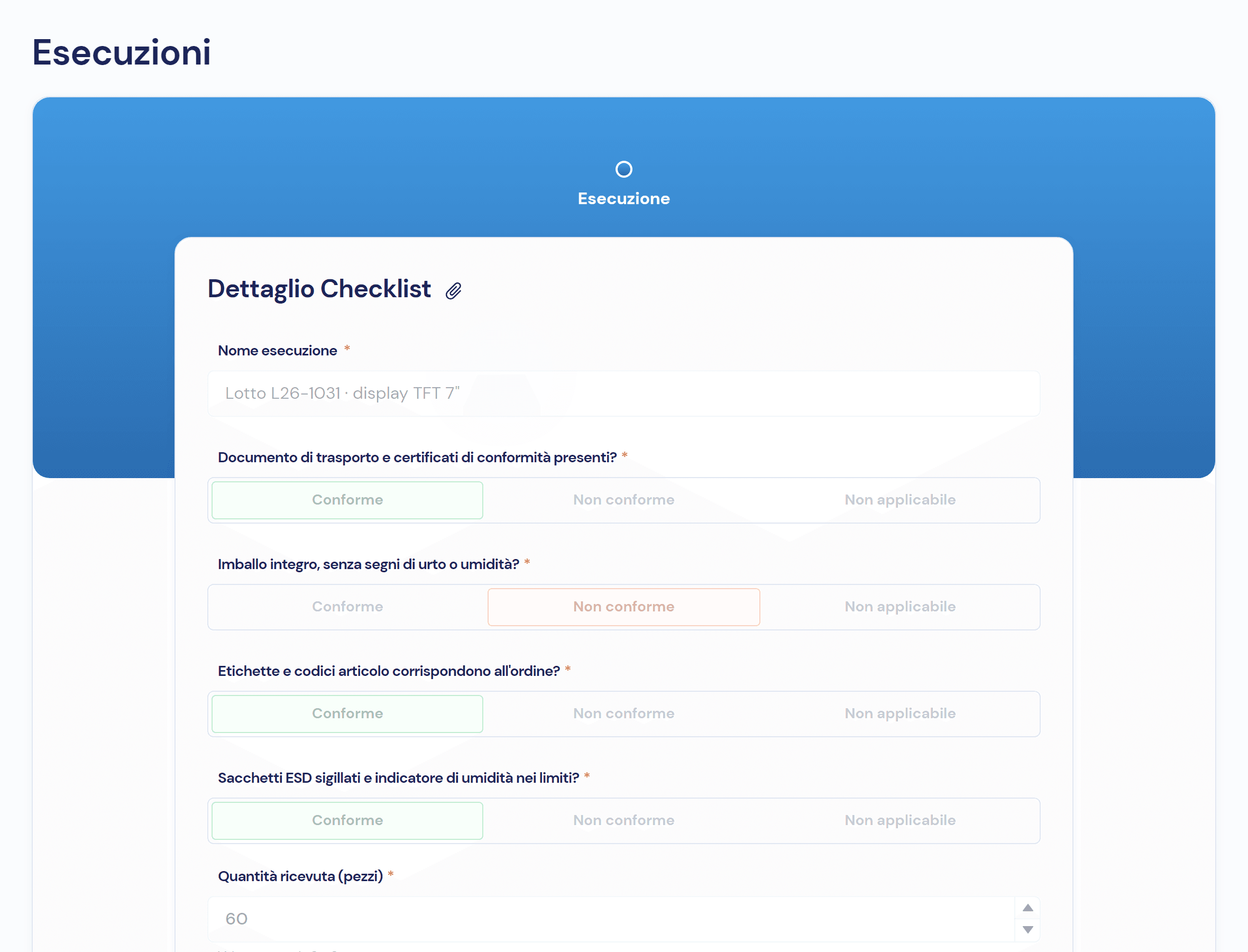
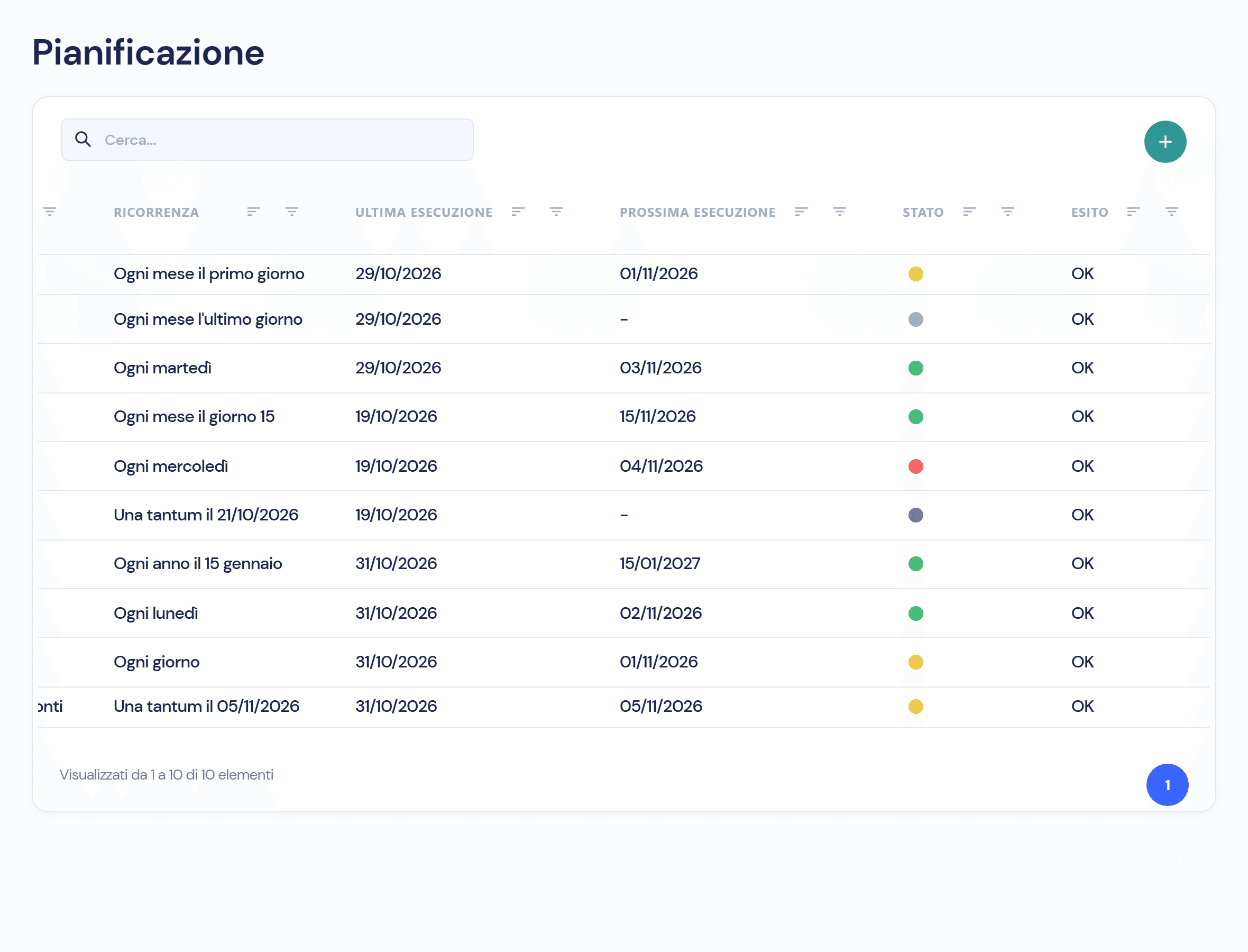
Three steps, and what stays on record for each
- 01 · Schedule
Template, owners, recurrence and a traffic light on the due date.
- 02 · Execution
Answers, measured values, notes and attachments, with date and author.
- 03 · Outcome
Passed, Failed or Completed; if failed, the checklist NC.
A checklist never lives alone
- Non-Conformity ManagementA failed execution opens the checklist NC, with the non-compliant checks already filled in.
- Documents and RevisionsDMS instructions and procedures attached to the template’s checks, visible during the execution.
- Workflows and responsibilitiesOwners and recurrence for every schedule, template versions with only one active.
- Audit trailWho ran every checklist and when, and the history of changes.
Frequently asked questions about the module
From the answers to the validation checks: all compliant, Passed; at least one non-compliant, Failed; none applicable, Completed. It is never chosen by hand.
Yes: besides Compliant / Non-compliant checks, a template has numeric fields with minimum and maximum limits, for instance a voltage, and text fields.
Yes, with a new version: executions already done stay linked to the version they used, and only one version is active at a time.
Yes, as a PDF: criteria, date and executor, every question with its outcome and the checklist NCs it raised.
Virtus is designed to integrate with ERP, MES and factory systems: in the demo we look together at how items and batches from your systems flow into the checklists.

See the module on your own inspections
In the demo we build the checklist for one of your tests and run it through to the outcome, NC included.