Continuous improvement software: every PDCA cycle on a board, phase by phase
The module manages improvement cycles with the PDCA method: every cycle has a department, a goal and goes through the Plan, Do, Check and Act phases, each with a description and a date. A board shows every cycle in the phase it is in.
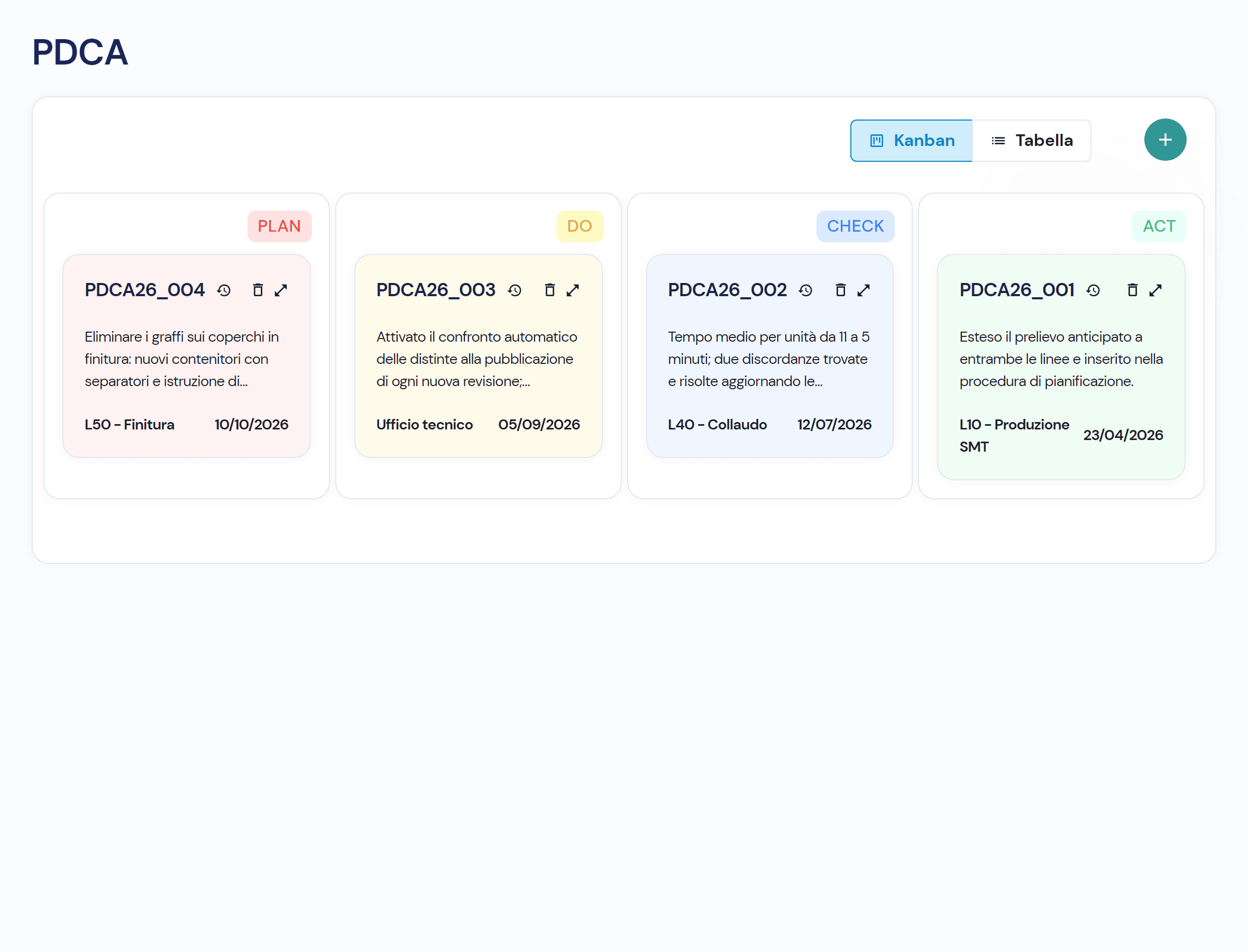
A PDCA cycle in a presentation never reaches Act
The goal sits in a presentation, the evidence in a spreadsheet, the check in the head of whoever did it. Three months later nobody knows which phase the cycle is in. In the module every cycle has a phase, a department and a date.
Four things you do with every cycle
- 01
Open a cycle with department and goal
Pick the department and write the Plan phase: problem, goal, what you intend to do. The cycle gets a progressive code and enters the Plan column of the board. Any user can open one.
- 02
See every cycle on a Plan, Do, Check, Act board
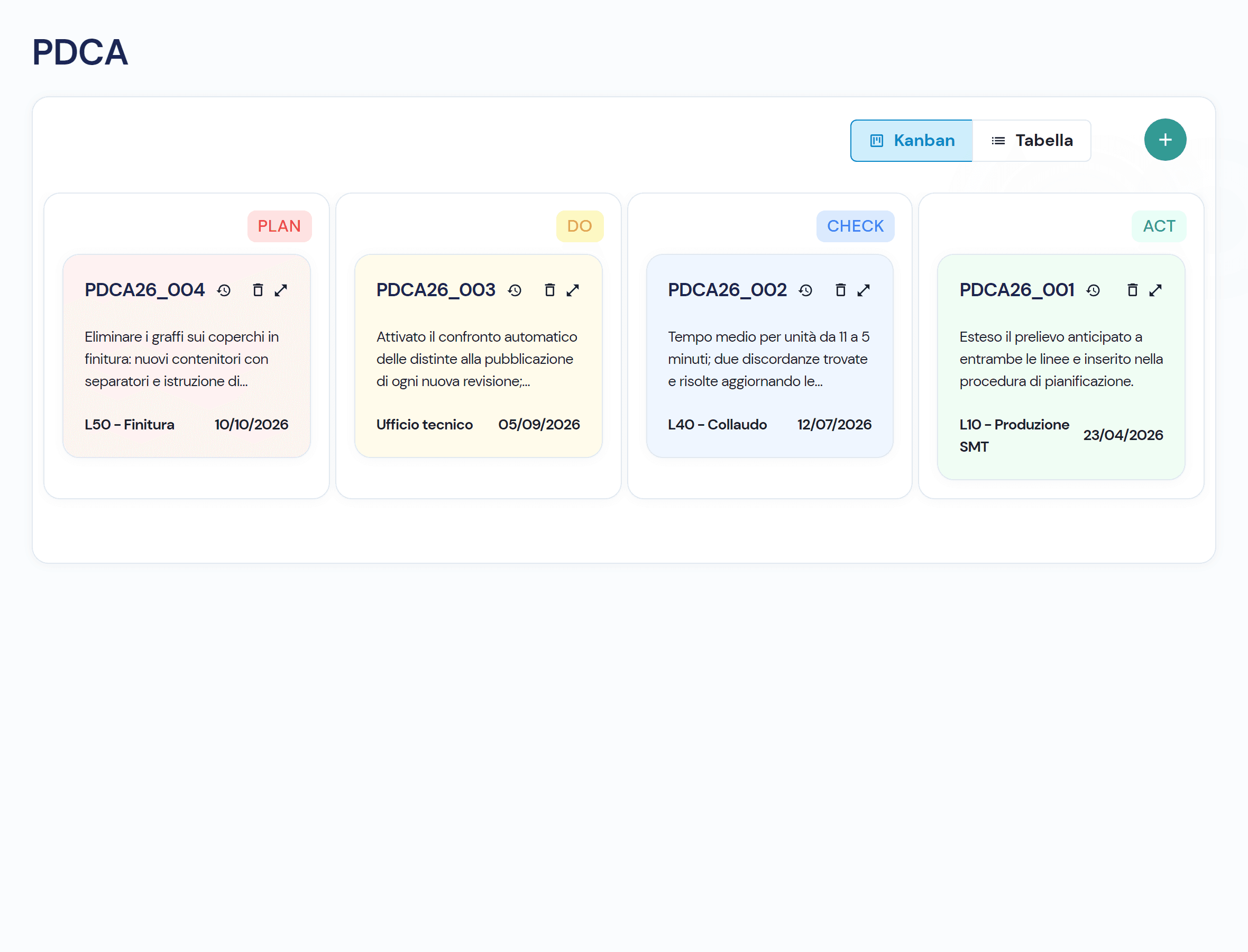
Each card shows code, department, description of the current phase and date. Drag a card to the next column and the record opens to be filled in; skipping a phase or going back is blocked. The same list also reads as a table.
- 03
Move to the next phase with description and date
To move to Do, Check and Act you write what was done and the date it was implemented, both mandatory. Save corrects the phases already filled in, Confirm moves the cycle forward; on the last phase the button becomes Close.
- 04
Close the cycle with Act and keep its history
Once Act is confirmed the cycle is closed: the record stays readable but can no longer be changed. Who opened the cycle and who confirmed each phase stays recorded, with date and time.
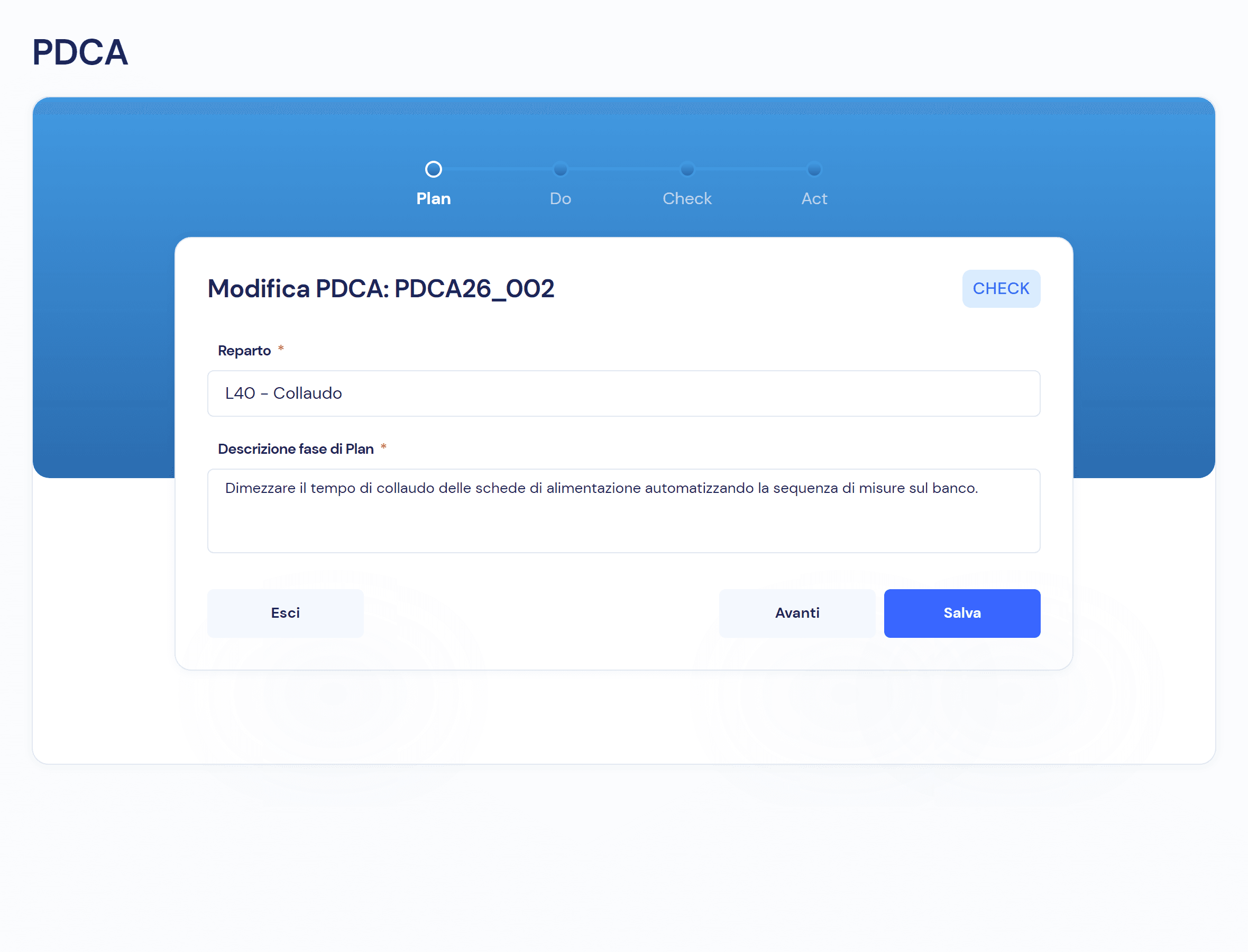
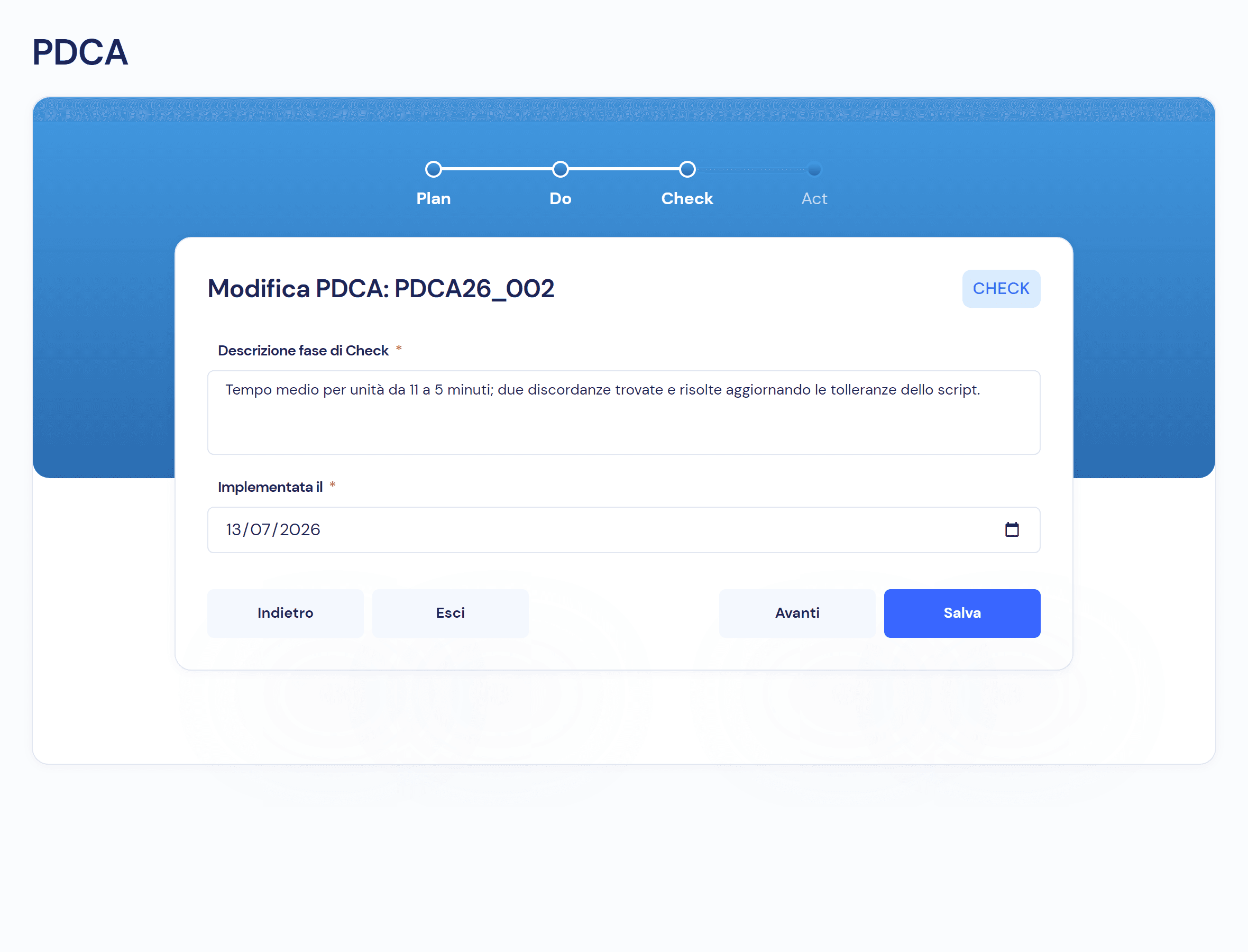
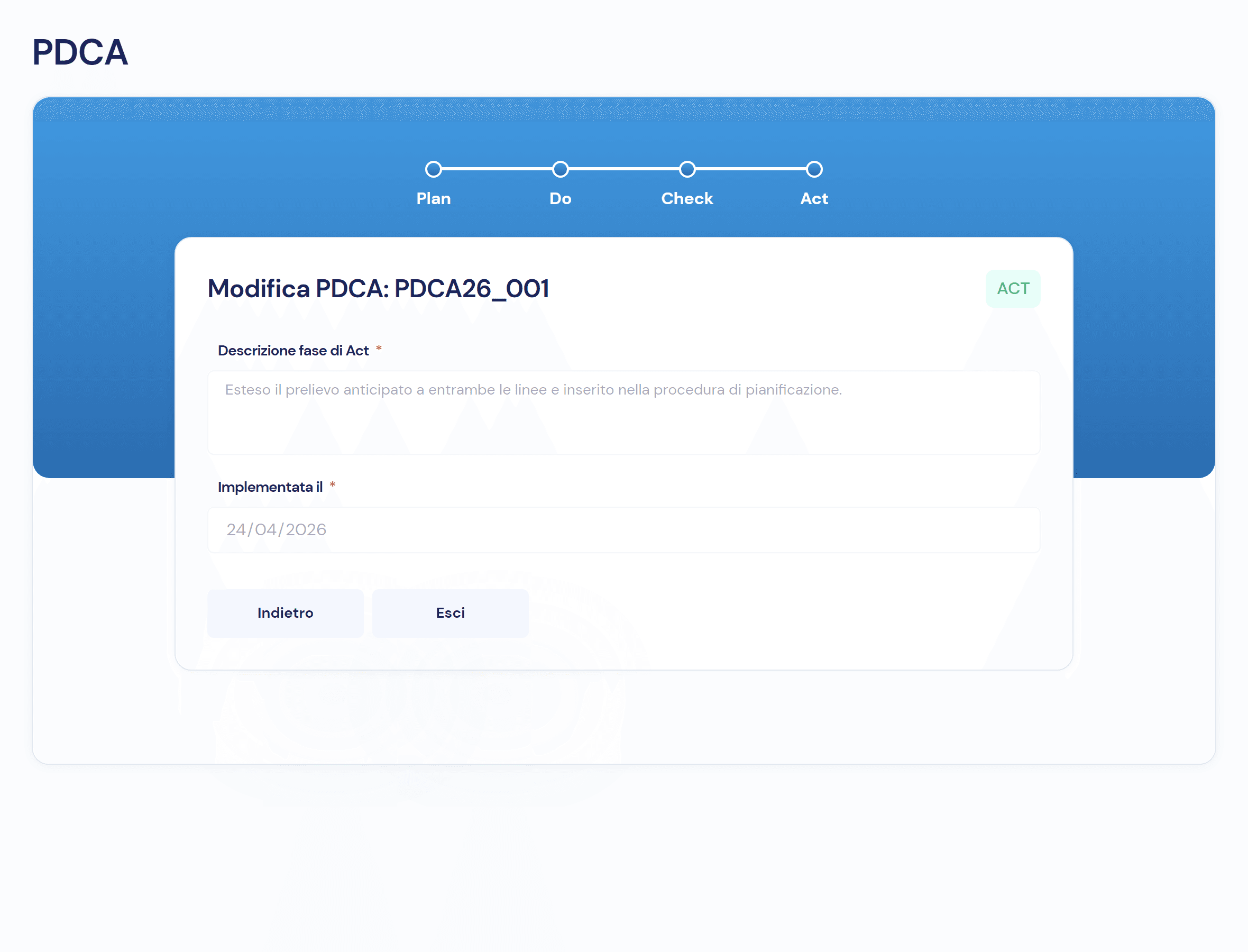
The phases of the cycle, and what each one needs
- 01 · Plan
Department, problem and goal: the cycle enters the board.
- 02 · Do and Check
What was done and what was measured, with the dates.
- 03 · Act
The solution made permanent, with its date: the cycle closes.
Improvement starts from the rest of the system
- Non-Conformity ManagementThe causes that keep coming back in non-conformities are the starting point of a PDCA cycle.
- Workflows and responsibilitiesUsers, department heads and the quality manager advance the cycles; phases go in order, with no skipping.
- Audit trailWho opened the cycle and who confirmed each phase, with date and time.
- Documents and RevisionsWhat Act makes permanent becomes a procedure, with revision and approval in the documents module.
Frequently asked questions about the module
No: every cycle moves forward one phase at a time. If you drag a card two columns ahead or backwards, Virtus blocks the move.
The description of the phase and the date it was implemented, both mandatory. To open the cycle, department and Plan description are enough.
Users, department heads and the quality manager. Deleting a cycle and viewing its history is up to the quality manager.
The cycle is closed: the closing date appears in the table and the record stays available to read, but can no longer be changed.
Virtus is designed to integrate with ERP, MES and factory systems: in the demo we look together at how departments and production data talk to your systems.

See the module on your next improvement
In the demo we open a PDCA cycle on a problem from your department and take it all the way to Act.