Quality document management software (DMS): one revision in force, approved and traced
The module gathers the manual, procedures, work instructions and forms in folders, with identifier, area, type, owner and one file per revision. Every revision goes from release to verification with the reviewers chosen at creation, and anyone not involved always downloads the latest approved one.
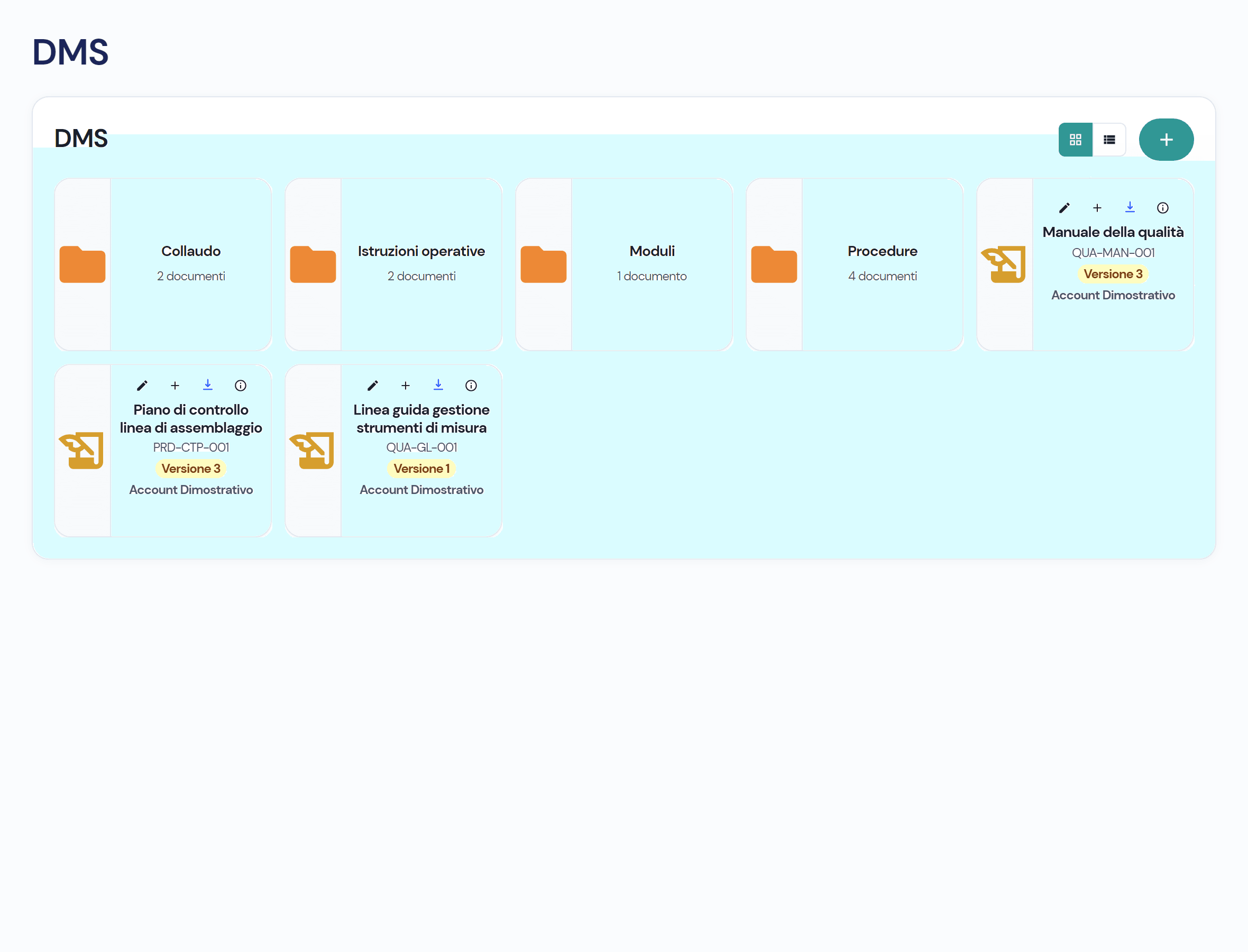
Three versions of the same procedure, and the old one is in use on the shop floor
The procedure sits on a network drive, the new revision is in the manager’s inbox, the one pinned up in the department is the old one. At the audit you have to prove who approved what and when. In the module every document has an owner, an identifier and one approved revision, with decisions and downloads recorded.
Four things you do every day, without shared folders
- 01
Upload the document with its data
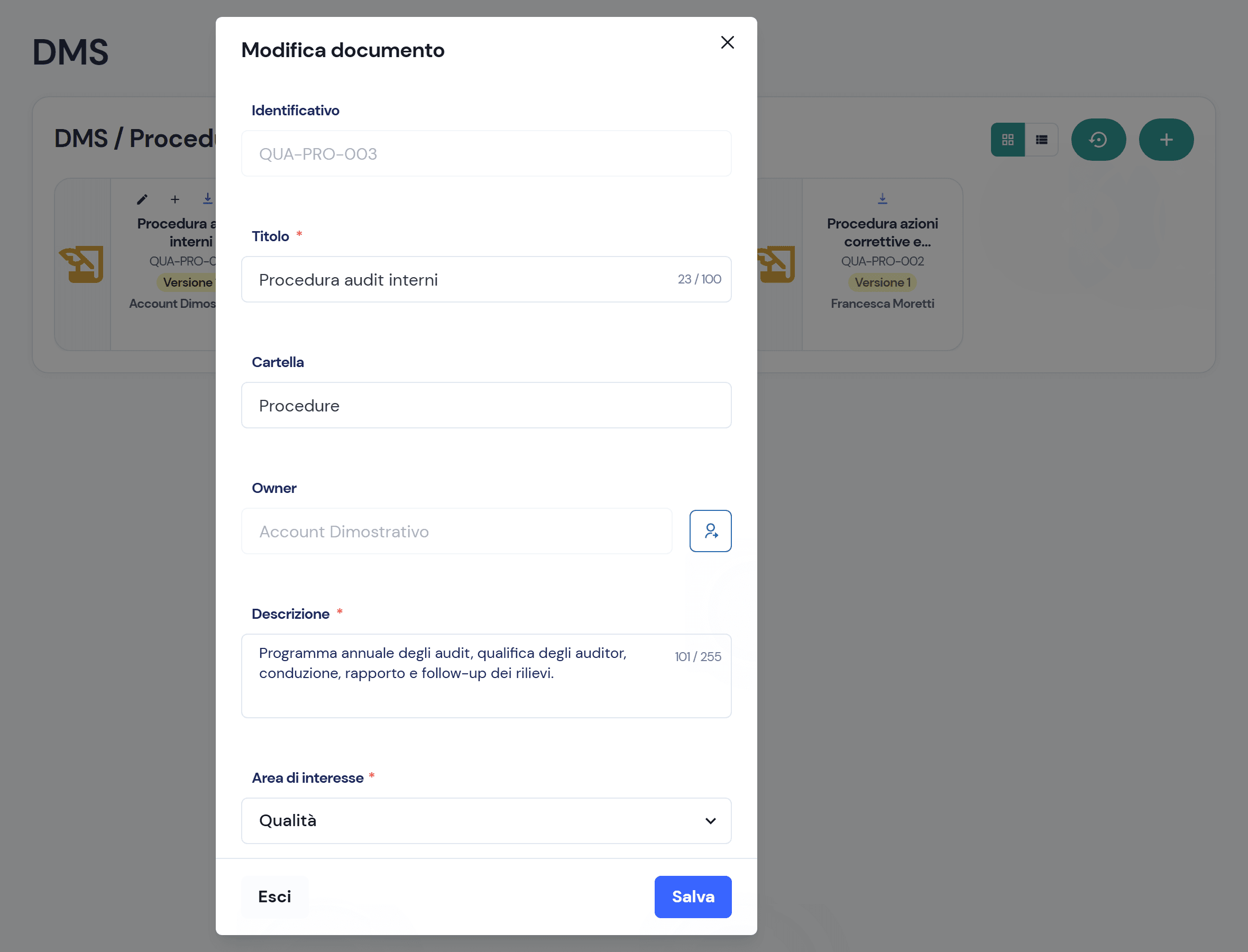
Title, description, folder, area and type: Virtus assigns the identifier in sequence, for instance QUA-PRO-003 for the third procedure in the Quality area. You choose the approval cycle priority (low, medium, high) and the reviewers, and attach the file.
- 02
Release and verification: reviewers decide with one click
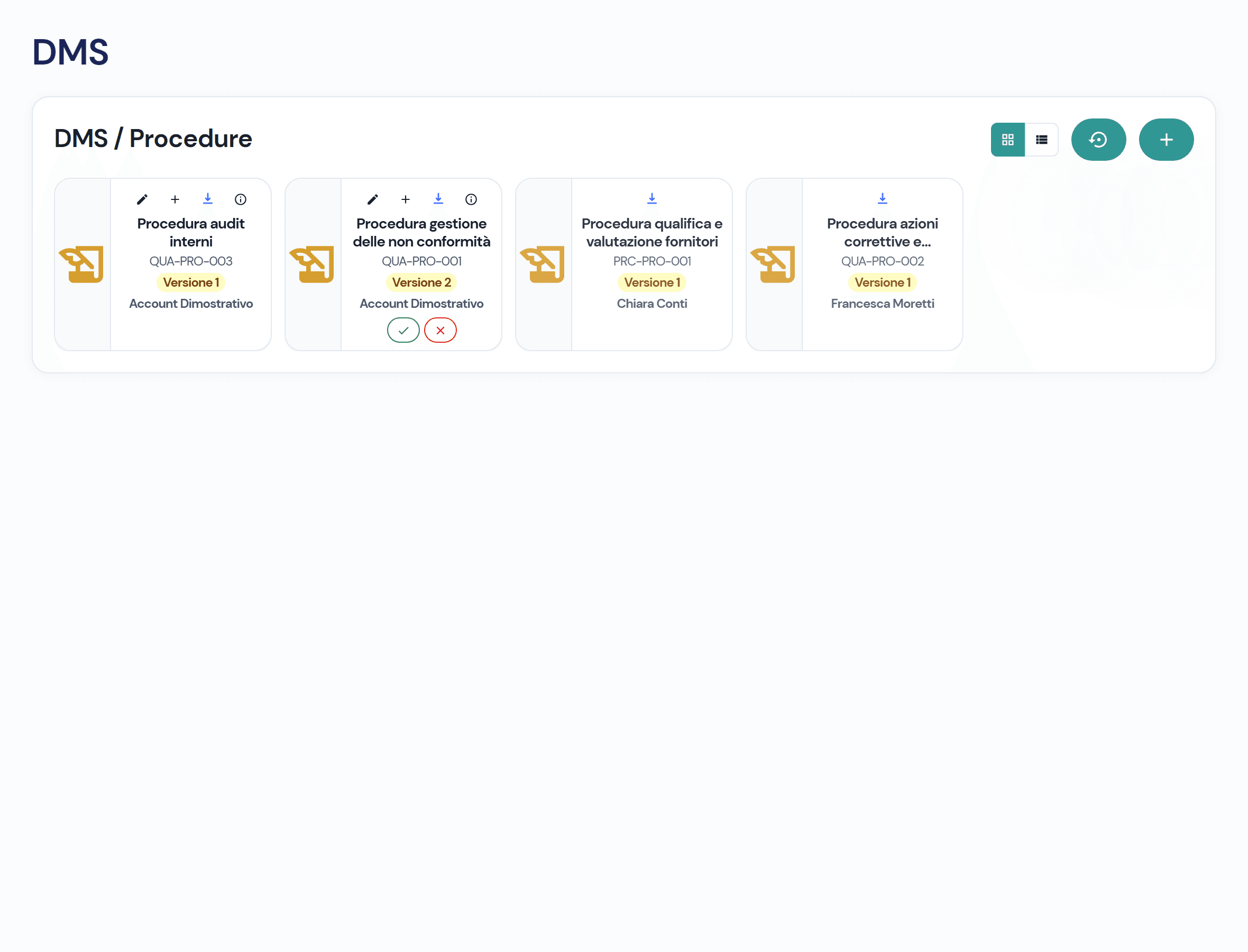
For every revision you name the release reviewers and the verification reviewers. Each one approves or rejects from the card of the document awaiting them; once a majority is reached, the revision moves to the next phase. After the first vote, area, type and reviewers stay locked.
- 03
Versions stay, only one is in force
From a document you open the next revision: same identifier, version plus one, a new file and a new round of release and verification. The owner sees every version; whoever downloads always gets the latest approved one, with the version in the file name.
- 04
Know who downloaded what, and link it to inspections
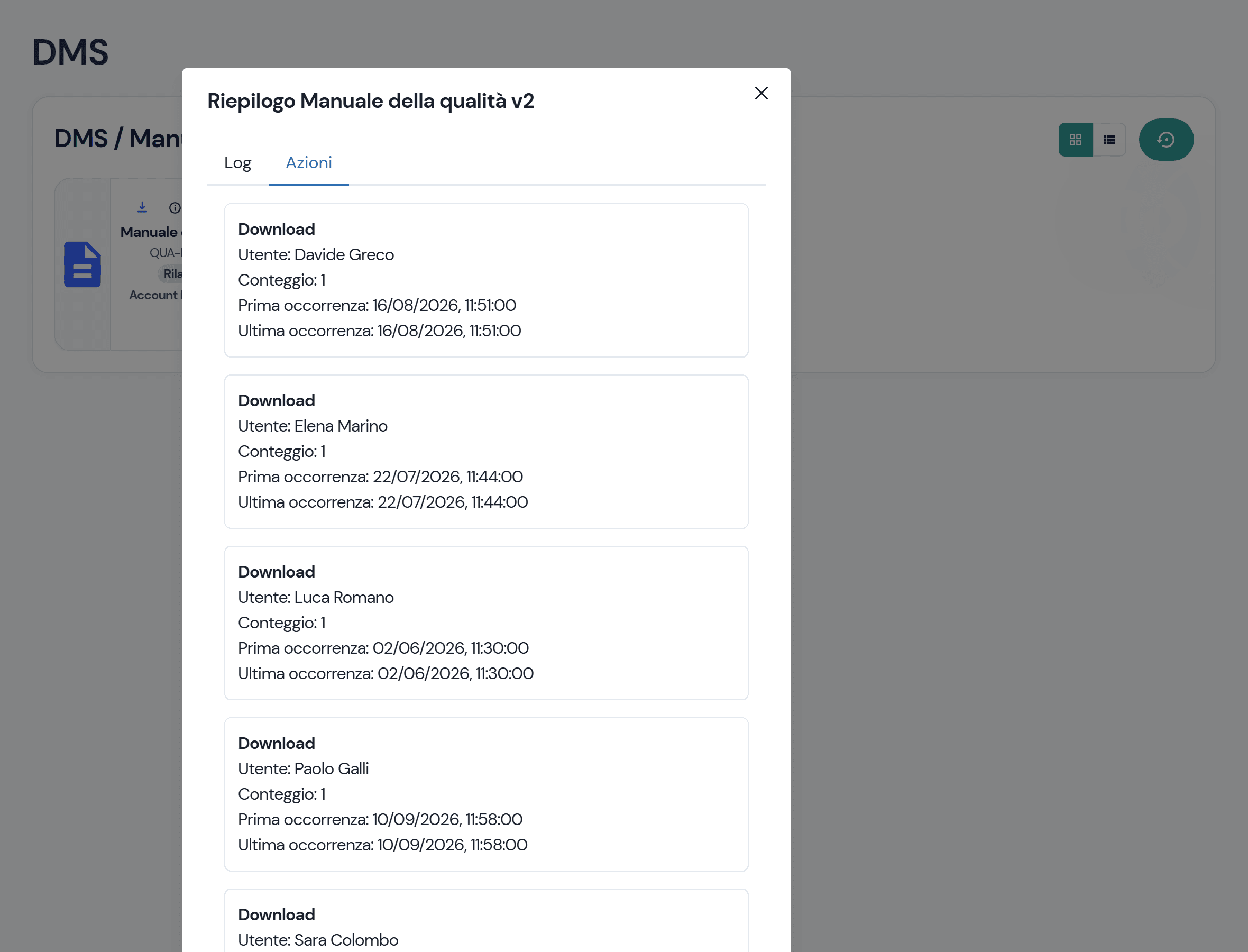
Every download is recorded: the owner sees who downloaded a revision, how many times and when, alongside the history of creation, decisions and status changes. Approved documents attach to the fields of a checklist, and whoever runs the inspection opens them from there.
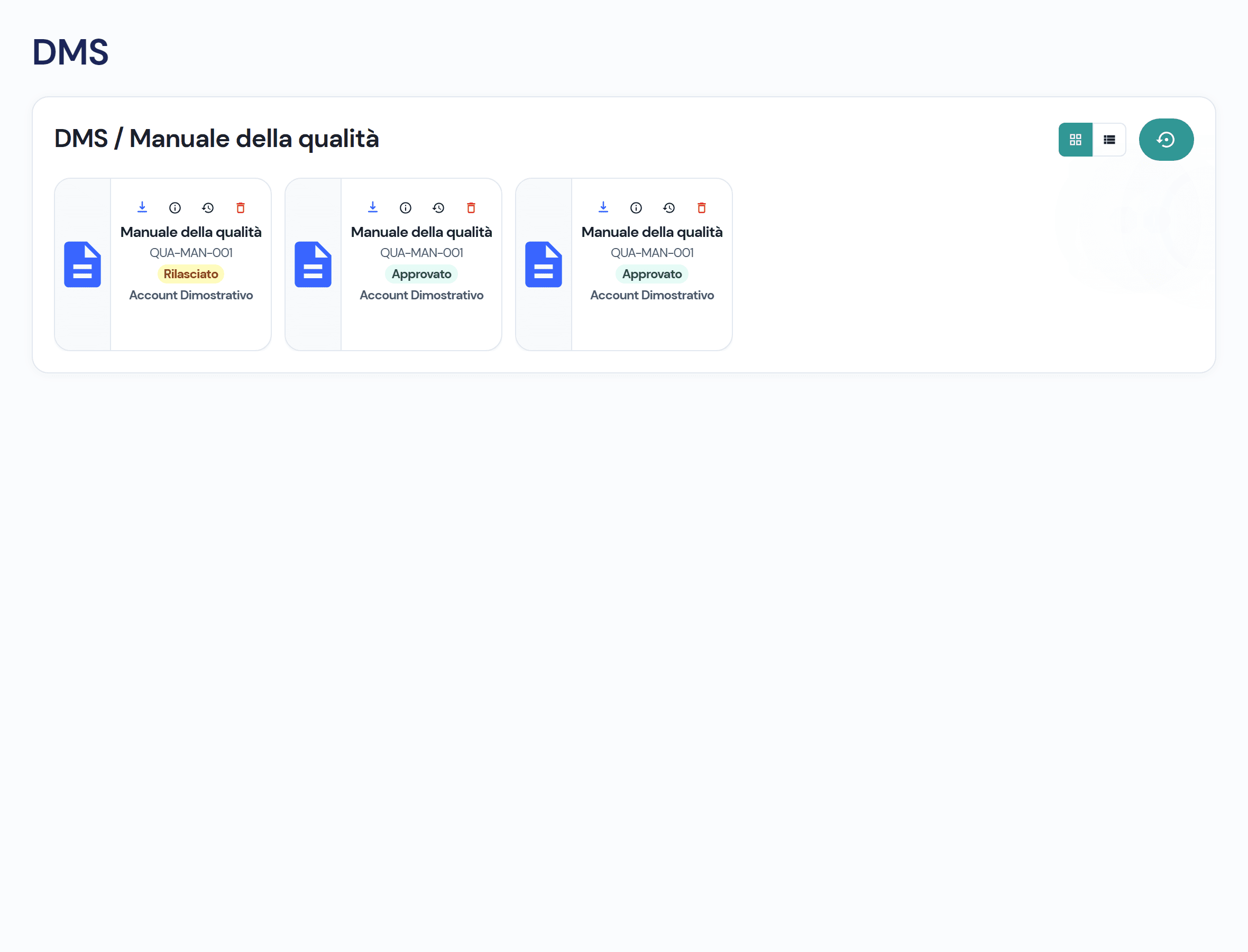
Three statuses, and who decides at each one
- 01 · Released
Revision uploaded: the release reviewers decide.
- 02 · Reviewed
Release approved: it is up to the verification reviewers.
- 03 · Approved
The one everybody downloads and that attaches to inspections.
A document never lives alone
- Controls and DataIn an inspection template you attach the approved documents to each field.
- Reporting and TestsWhoever runs the checklist opens the linked documents from the field, in the approved revision.
- Workflows and responsibilitiesOwner, release and verification reviewers, majority decisions and the status of every revision.
- Audit trailCreation, decisions and status changes of every revision, and the downloads by user.
Frequently asked questions about the module
The owner sees every revision and its logs; a reviewer, the revision awaiting their decision; everyone else, the approved revision.
The version goes up by one, with the same identifier, a new file and a new release and verification cycle. Approved revisions stay in the history; one still in release is rejected.
A majority of those named for the phase. A majority rejection takes the revision to Rejected; whoever has voted can withdraw their choice while the phase is open.
Yes: in a checklist template you attach to a field the documents that have an approved revision; whoever runs the inspection downloads them from there.
Virtus is designed to integrate with ERP, MES and factory systems: in the demo we look together at how documents and their revisions talk to your systems.

See the module on your own documents
In the demo we upload one of your procedures and take it from release to approval.