Skills matrix and staff training software: who can do what, and what is missing
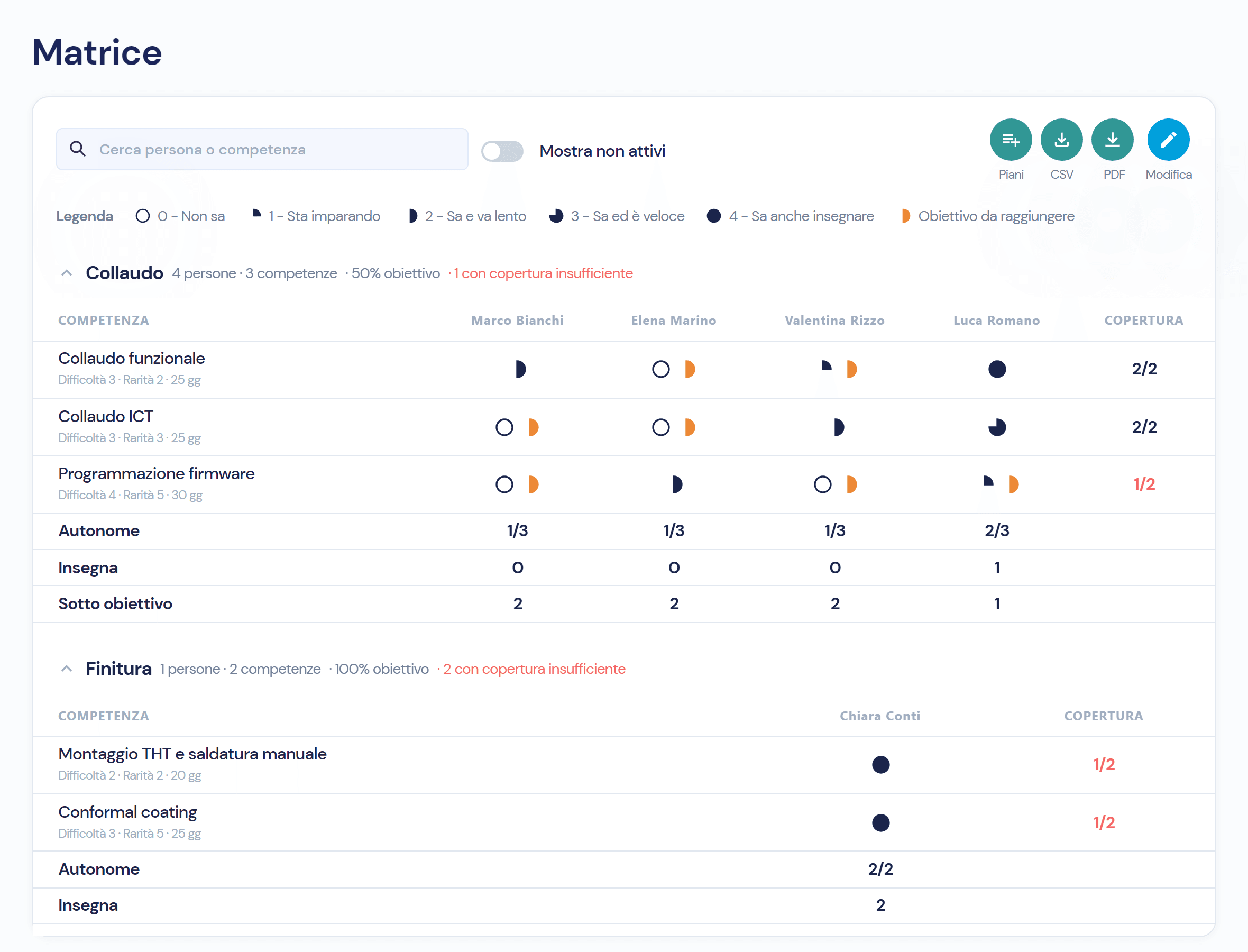
The skills matrix assesses every person on every skill of their department with five levels, from «Cannot do» to «Can also teach», and marks who is below target. From there come training plans, courses with an outcome and certificates with an expiry date; a completed course updates the matrix by itself.
A skills matrix in Excel is out of date the next day
The department head fills in the sheet once a year, the certificates sit in a cupboard and nobody knows which one expires next month. At the audit the question is always the same: who is qualified, and how do you prove it. In the module the matrix, plans, courses and certificates update one another.
Four things you keep under control, without sheets
- 01
Fill in the matrix by department, with five levels
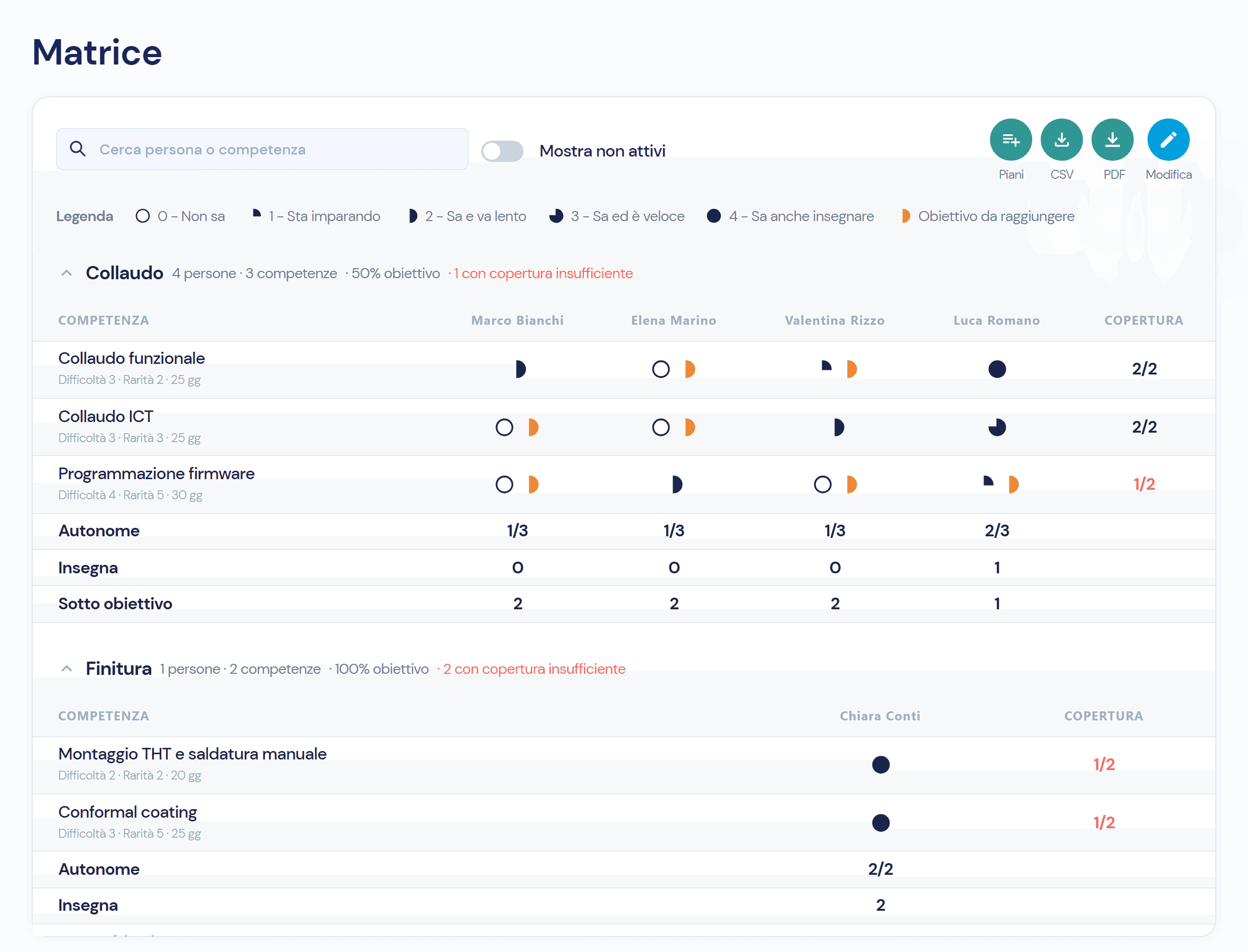
Every department has its own skills, ordered by difficulty and rarity. For each person you set the level from 0 to 4 and, if needed, a target different from the department’s: cells below target are marked in orange.
- 02
Generate training plans for whoever is below target
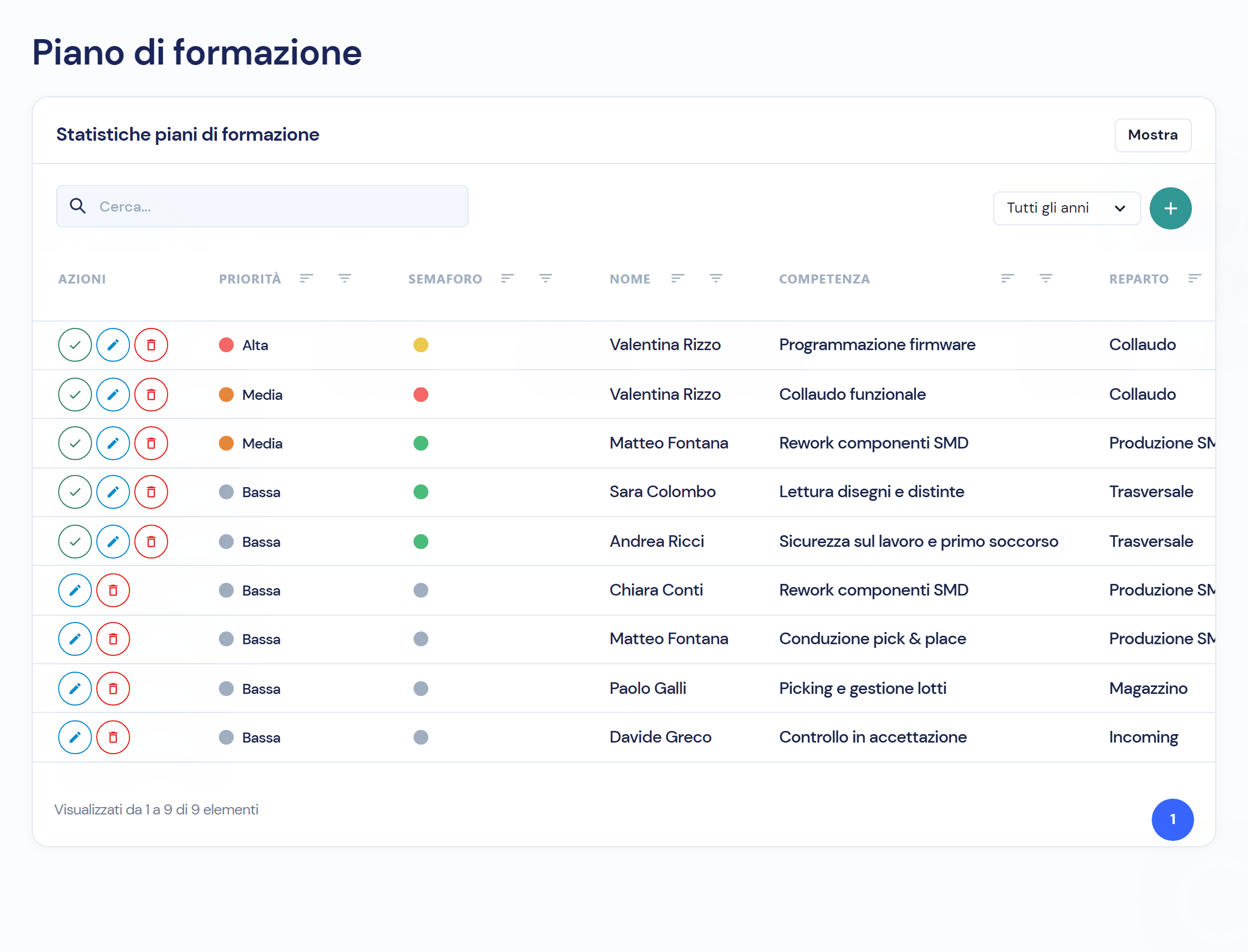
With one click Virtus creates a plan for every person below target, prerequisites included. Each plan has current and target level, required date, tutor and priority; the traffic light says whether it is on track, at risk or overdue. Once the plan is completed, the level in the matrix rises to the target.
- 03
Enrol people on courses and record the outcomes
A course has a provider, dates, hours, costs, skills covered and expected level. On closing you mark each participant as Passed or Failed: whoever passed rises in the matrix, closes the linked plan and receives the planned certificate.
- 04
Keep every certificate with its expiry date
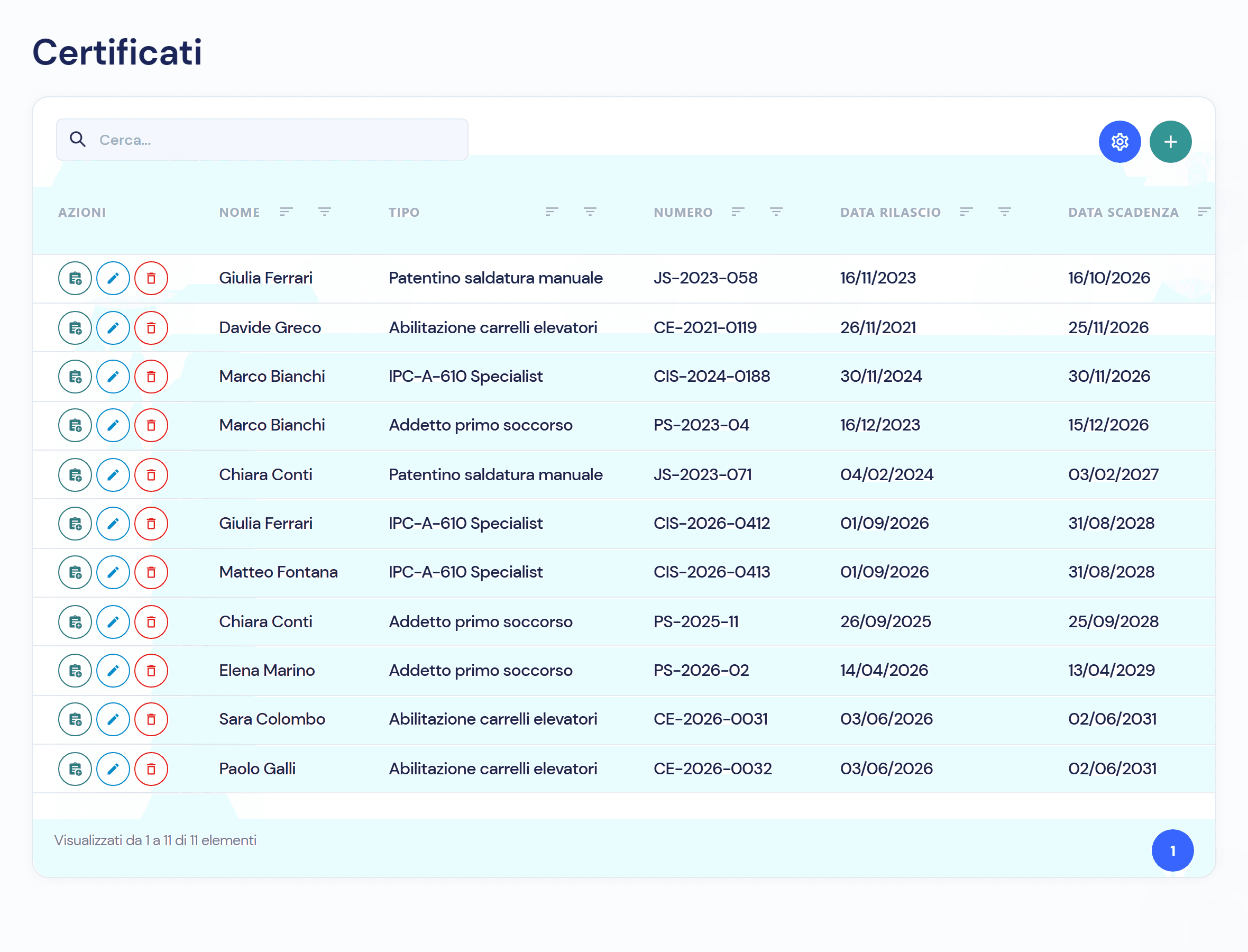
Every certificate has a type, number, issue date, expiry date and the attached file. The status is worked out automatically: Valid, Expiring in the sixty days before, Expired. Renewal creates a new certificate and the old one stays on file.
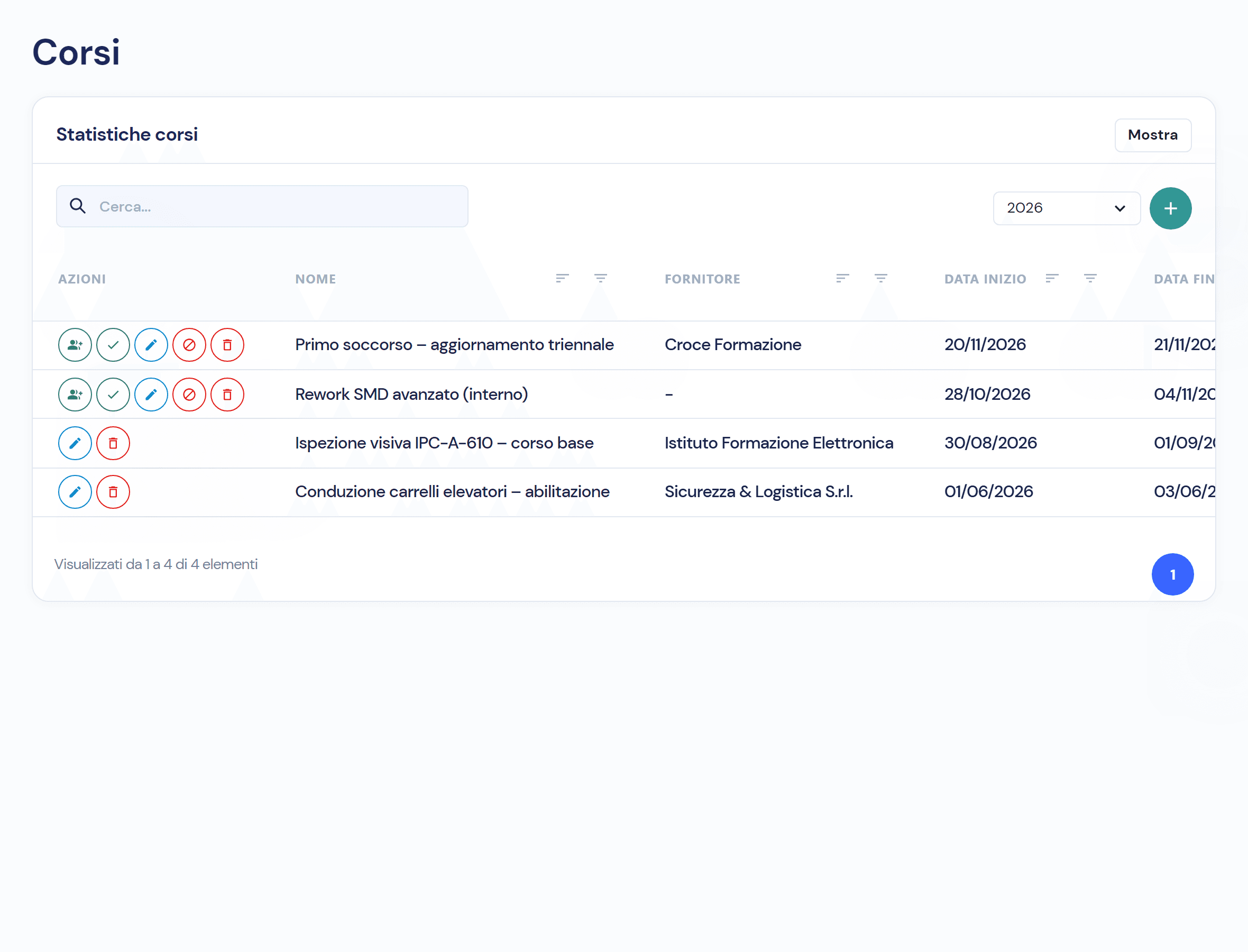
Three course statuses, and what each needs
- 01 · Planned
Provider, dates, hours, costs and enrolled participants.
- 02 · In progress
From the start date; after the end date, to be closed.
- 03 · Completed
An outcome for each participant; whoever passed rises in the matrix.
Skills talk to the rest of the system
- KPIs and dashboardsPeople, percentage of target, uncovered skills, expiring certificates and overdue plans.
- Workflows and responsibilitiesA tutor for every plan, permissions by role: the department head creates and completes, the quality manager deletes.
- Audit trailAssessment history per person: level before and after, when, who, from the matrix, a plan or a course.
- Documents and RevisionsThe file of every certificate in the Virtus document archive; the matrix exports to PDF and CSV.
Frequently asked questions about the module
Five, from 0 to 4: Cannot do; Learning; Can do, slowly; Can do, fast; Can also teach. From level 2 a person is autonomous, from level 4 they can teach.
The catalogue sets for each skill the required level and the minimum number of autonomous people; in the matrix you can give a single person a different target.
Virtus shows the skills where they are the only autonomous person and who could cover them; uncovered skills are a red counter in the summary.
Sixty days before it becomes Expiring, then Expired; the summary counts expiring certificates and people to reassess.
Virtus is designed to integrate with ERP, MES and factory systems: in the demo we look together at how people, departments and courses talk to your systems.

See the module on your own departments
In the demo we build the matrix of one of your departments, all the way to the training plan.